
Smarter Templates. Faster Workflows.
Create, save, and apply templates across boards in just a few clicks.

How we are different
Discover why Templify is the premier choice for subitem template management on monday.com

Completely dynamic
Effortlessly generate dynamic item and subitem templates with Templify. Automatically set dates, timelines, and dependencies based on creation dates or key values in your main item. Pull or transfer data seamlessly to keep every template accurate, consistent, and always up to date.

Detects column structures
Templify instantly adapts to any board's column setup, supporting nearly every monday.com column type. Open it on any board and cross-apply templates without rebuilding your structure—perfect for teams managing multiple workflows or repeating processes across boards in monday.com.

Automate your templates
Use Templify's built-in automation recipes to apply templates automatically. Trigger template creation based on status changes, new items, or any workflow event. Eliminate manual setup and boost efficiency with fully automated template workflows on monday.com.
Features
Everything You Need to Scale Your monday.com Workflows with Templates That Work
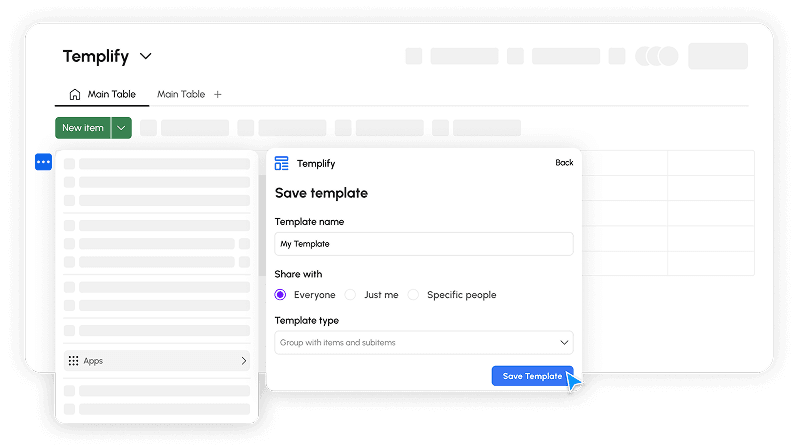
Turn Any Group, Item, or Subitem into a Reusable Template
Save time by transforming existing work into smart templates. Whether it's a task list, project plan, or recurring workflow, you can save it with just a few clicks and reuse it anytime — no setup required.
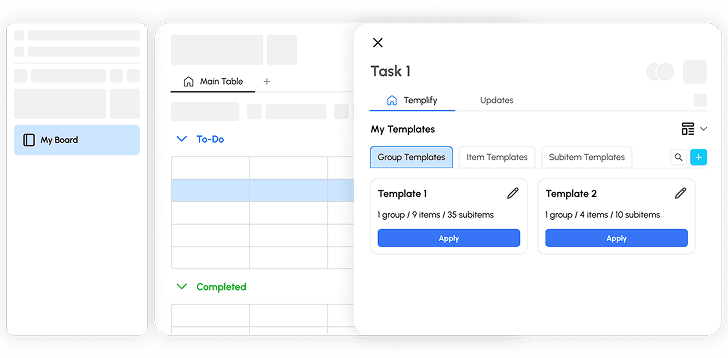
Your Template Hub, Fully Organized
The Templify dashboard gives you a clear overview of all your templates — categorized by groups, items, and subitems. View, organize, and access your templates in one place, making it easy to keep your workspace clean and efficient.
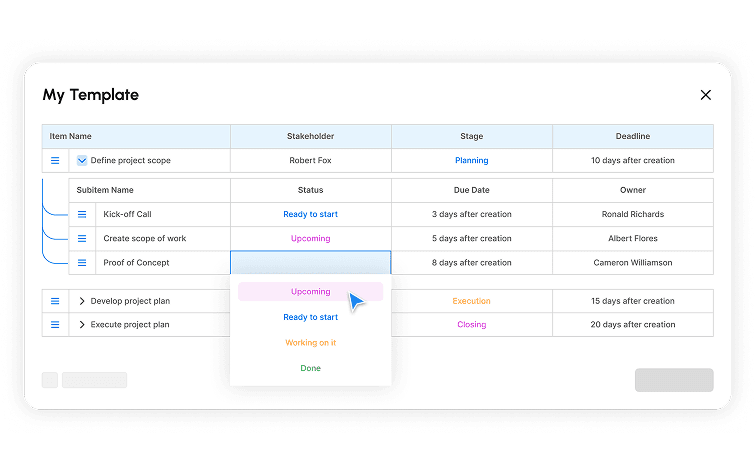
Make Changes in Seconds
Need to update a task, deadline, or owner? Use the template editor to tweak anything without starting over. Keep your templates flexible and always aligned with your evolving processes.
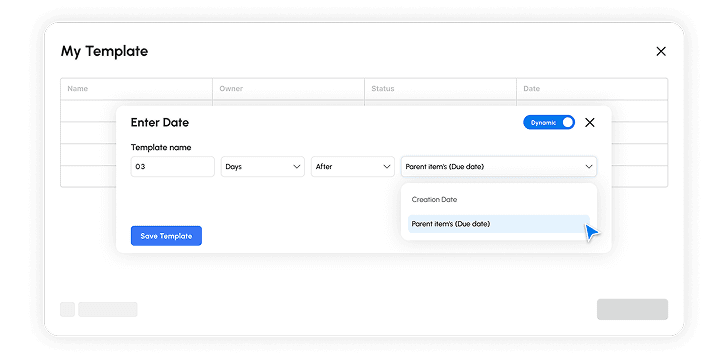
Templates That Adapt to Your Workflow
Insert smart fields like "3 days after parent item's due date" or auto-assign owners to subitems based on roles assigned to the parent item. Dynamic values ensure that every template fits perfectly into your current timeline and structure — no manual adjustments needed.
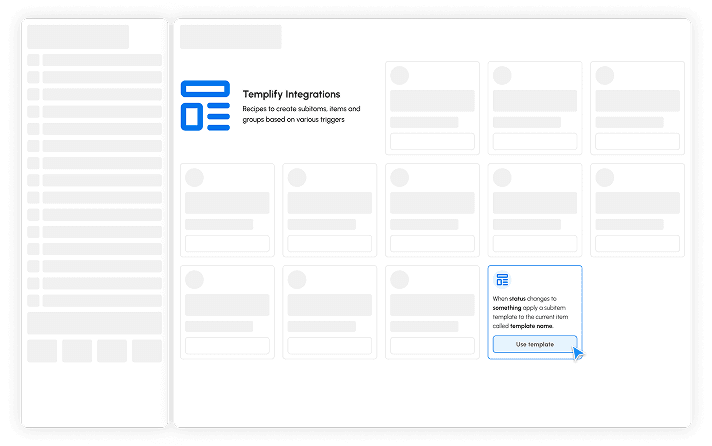
Trigger Templates Automatically
Automate subitem, group and item creation with one of our many smart integration recipes. For example: 'When status changes to something, apply a subitem template.' Say goodbye to manual template applications!
Our Services
Our team offers tailored services to ensure your workspace operates at its peak. From data migration to custom integrations and monday.com support, we provide everything your company needs for a seamless workflow.
Testimonials
We take pride in creating a tangible impact on our clients' workflows. Explore our client reviews to gain insight into their experiences with Templify.
Probably one of the most useful apps on the marketplace. Its also super cheap for the crazy amount of value it provides for our time.
Templify Kicks A**! It is crucial to our teams workflow!
Templify is the bomb! It feels like it should be a native monday.com app. Absolutely essential!
Before installing Templify I was about ready to give up on monday.com, now I am loving the platform. This is everything we needed!
Templify is amazing, especially the ability to add dynamic dates, people and dependencies. We tried all the other template apps, and Templify is the best. The dev team is very responsive and was willing to jump on a call to help us get started quickly.
Review 1 of 5
FAQ's
Frequently Asked Questions
Book a demo
See Templify in action. Pick a time that works for you and we'll walk you through it.