On this page
- Tech Stack Audit
- Workflow Automation
- Managed Services Partner
- monday.com Operating Partner
- SaaS Consolidation
- Process Automation ROI
- No-Code Automation
- CRM Integration
- monday.com Board
- Workflow Mapping
- Ops Tech Stack
- Digital Transformation for SMBs
- monday.com CRM
- Task Automation
- SaaS Onboarding
- Tech Stack Health Check
- Managed monday.com
- Automation Recipe
- Workflow Bottleneck
- Ops as a Service
- monday.com Integrations
- Recurring Automation
- Work OS
- monday.com API
- Managed Tech Operations
Tech Stack Audit
A tech stack audit is a structured review of every tool your team pays for, connects to, or quietly avoids opening.
Most companies don't actually know what's in their stack. Someone signed up for a tool in 2022 to solve a problem that no longer exists, and it's still billing $40 a month. Meanwhile, three different teams built three different spreadsheets to track the same thing, because nobody trusted the "official" system. A tech stack audit surfaces all of it: every tool, every workaround, every gap between what leadership thinks is happening and what's actually happening on the ground.
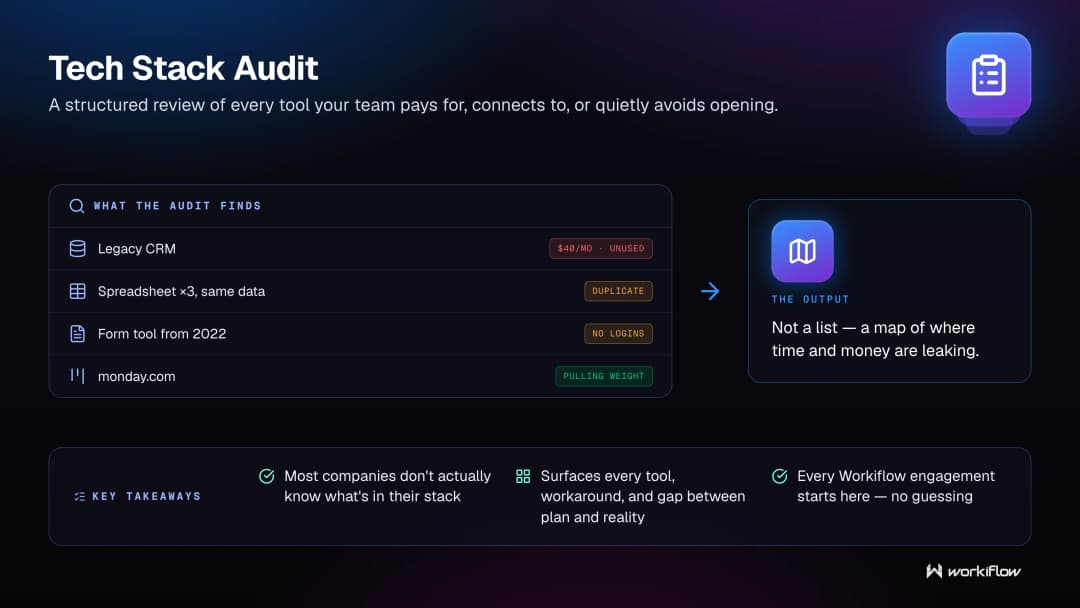
The output isn't a list. It's a map of where time and money are leaking, and which tools are pulling real weight versus just taking up a login. That map is what makes the next decision, consolidate, integrate, automate, actually informed instead of a guess.
How Workiflow uses this: Every engagement starts here. Before we touch a single automation or build a single board, we run a tech stack audit so we're solving your actual problem, not the one we assumed you had. It's how we've kept a 100% client satisfaction record across 1,000+ clients; we don't guess.
Related terms: tech stack health checkSaaS consolidationops tech stackmanaged tech operations
Workflow Automation
Workflow automation means letting software handle the repetitive steps in a process so people can focus on the parts that actually need a human.
Think about what happens after someone fills out a form on your website. Does a person manually copy that info into a CRM, then manually assign it to a rep, then manually send a follow-up email? That's three places where things get dropped, forgotten, or done differently depending on who's having a slow Monday. Workflow automation takes those handoffs, the copy-paste, the "did anyone tell sales about this," the status update nobody remembers to send, and makes them happen automatically, every time, the same way.
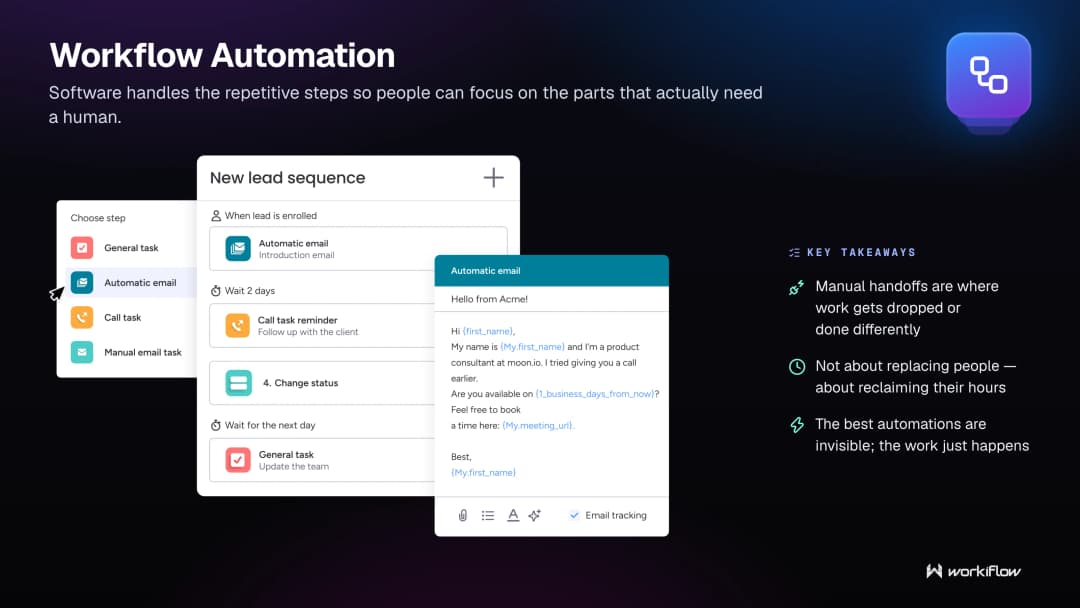
It's not about replacing people. It's about giving people back the hours they were spending on work that never needed a human brain in the first place. The best automations are invisible; the work just happens, and the person who used to do it manually now gets to do something that actually uses their judgment.
How Workiflow uses this: We build custom workflow automations inside monday.com for every client, tailored to how they actually work, not a generic template. It's the difference between "we implemented automation" and "we automated the specific thing that was wasting your team's Tuesday afternoons."
Related terms: no-code automationtask automationautomation recipeworkflow bottleneck
Managed Services Partner
A managed services partner is an outside team that takes ongoing responsibility for a piece of your operations, instead of just showing up once to build something and disappearing.
The distinction matters more than it sounds like it should. A lot of agencies and consultants operate on a project model: they scope it, build it, hand it off, invoice you, and leave. That works fine until something breaks, or your process changes, or the person who understood the system leaves the company. A managed services partner sticks around. They monitor, adjust, and improve the system over time, so it keeps working as your business changes shape around it.
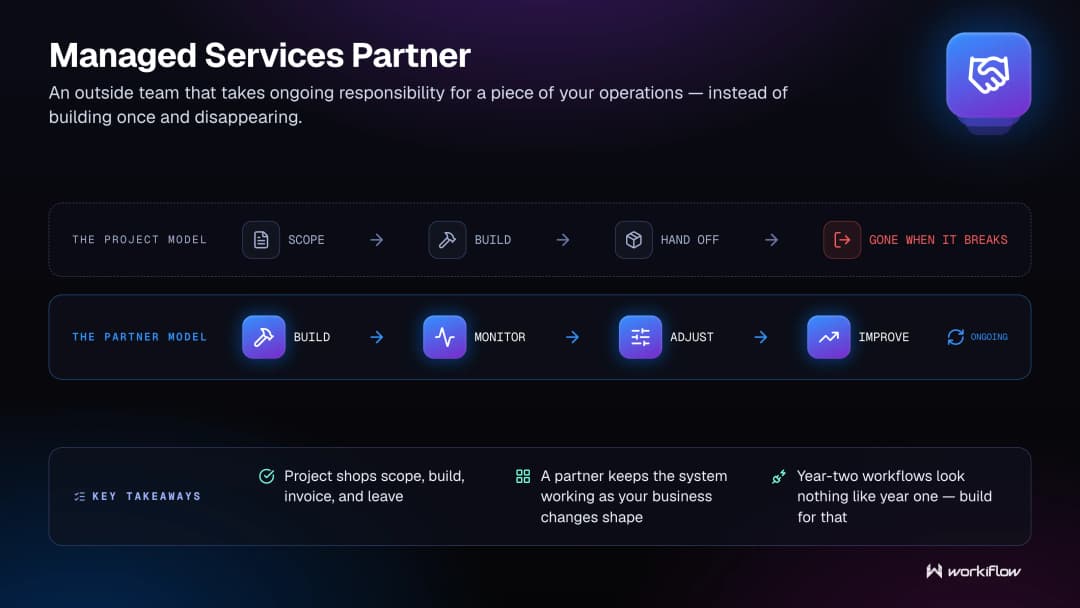
This model shows up everywhere from IT to marketing to operations, but it's especially valuable anywhere the "build" is never really finished, which, for most growing companies, is everything. Your workflows in year two look nothing like your workflows in year one. A managed services partner expects that and builds for it.
How Workiflow uses this: We're not a build-it-and-bounce shop. We're a managed services partner for monday.com specifically, one of the platform's fastest-growing partners in history, which means we're still in your account six months after launch, tuning things as your team grows and changes.
Related terms: monday.com operating partnerops as a servicemanaged tech operationsmanaged monday.com
monday.com Operating Partner
A monday.com operating partner is a certified team that runs and evolves your monday.com setup on an ongoing basis, rather than just installing it and walking away.
There's a real gap between "having monday.com" and "running your business on monday.com." Plenty of companies buy the platform, build a few boards, and then plateau: the tool is there, but it's not actually driving how work gets done. An operating partner closes that gap. They design the boards, build the automations, connect the integrations, and then keep coming back to refine the system as your team's needs shift.
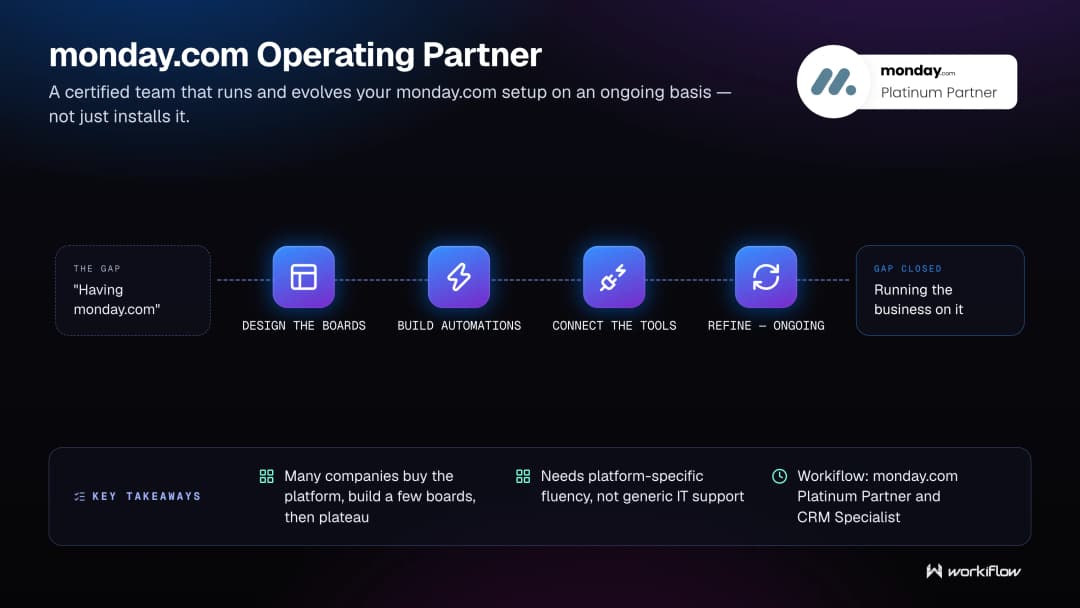
This is different from generic IT support. It requires deep, specific fluency in how monday.com's columns, automations, and API actually behave, not just familiarity with software in general. That specificity is what turns monday.com from "another tab we have open" into the system your whole team actually runs on.
How Workiflow uses this: This is quite literally our identity. We're a monday.com Platinum Partner and recognized CRM Specialist, and operating partnership, not one-off implementation, is how we structure almost every client relationship.
Related terms: managed monday.commanaged services partnerwork OSmonday.com board
SaaS Consolidation
SaaS consolidation is the process of reducing the number of software tools a company pays for and depends on, usually by replacing several overlapping tools with fewer, more capable ones.
Most tech stacks grow by accident. A team needs to solve a problem, someone finds a tool, they sign up, and it works but only for that one problem. Multiply that by every team, every quarter, for a few years, and you end up with a stack that has four project management tools, three ways to track customer info, and nobody who can explain why. SaaS consolidation isn't about cutting tools to save money, although it usually does that too. It's about reducing the number of places information lives, so people stop wondering which version of the truth is the real one.
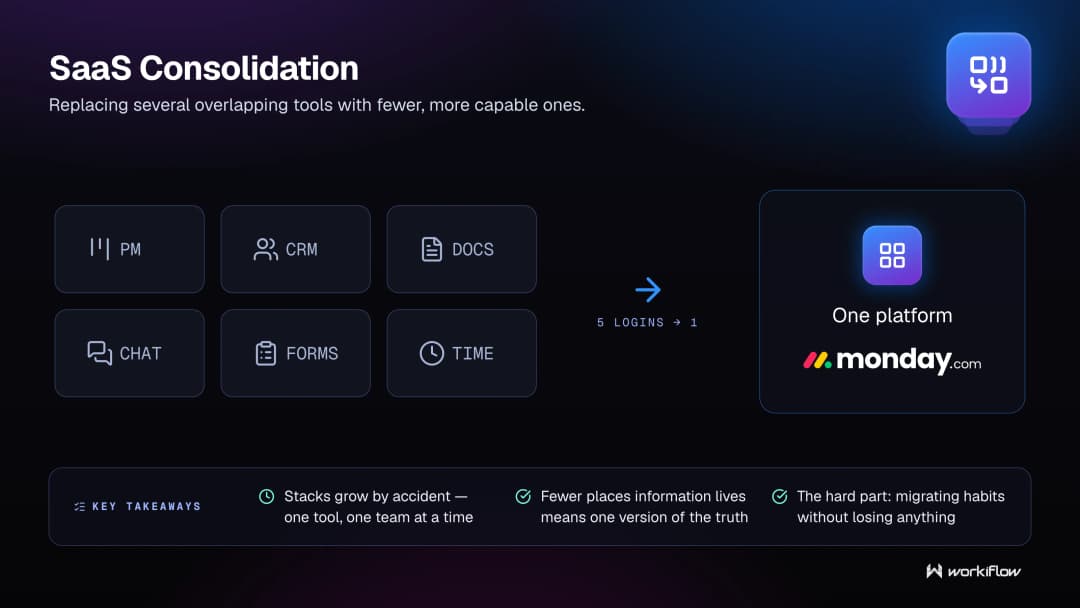
The hard part is migrating the workflows and habits built around the old tools without losing anything in the process. That's where consolidation projects tend to stall out if nobody's driving them.
How Workiflow uses this: A huge share of our engagements start as "we have too many tools and none of them talk to each other." We map what each tool is actually doing, then rebuild those functions inside monday.com so teams go from five logins to one.
Related terms: tech stack auditops tech stackmonday.com integrationsdigital transformation for SMBs
Process Automation ROI
Process automation ROI is the measurable return a business gets from automating a task or workflow, usually expressed in hours saved, errors avoided, or revenue protected.
It's tempting to talk about automation in vague terms: "efficiency," "streamlining," the usual buzzwords. Real ROI is more specific than that. It's the 12 hours a week a sales ops person no longer spends manually updating deal stages. It's the leads that stopped falling through the cracks because follow-up now happens automatically instead of "whenever someone remembers." Good automation ROI can be measured, and it should be, because that's how you know the investment actually paid off instead of just feeling like progress.
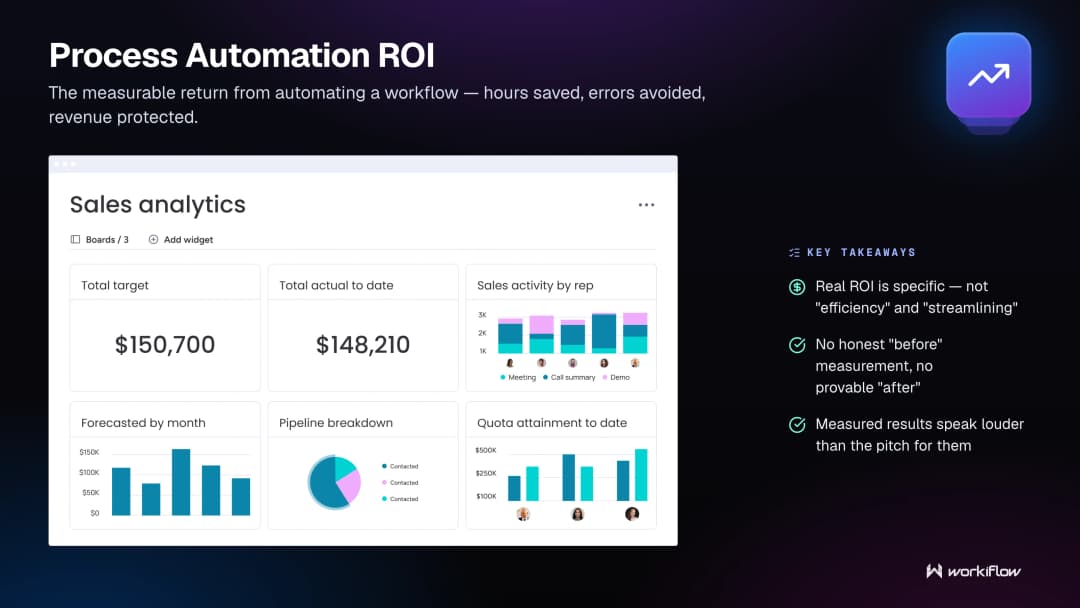
If you don't know how long a process took before, you can't prove what you saved after. Measuring ROI means tracking the "before" state honestly, even when it's a little embarrassing.
How Workiflow uses this: We ground automation projects in real numbers whenever we can: hours reclaimed, error rates before and after, deals that stopped stalling. That's not a hypothetical. That's something we already built for clients across industries, and it's why the value of the work speaks louder than the pitch for it.
Related terms: workflow automationworkflow bottlenecktech stack auditops as a service
No-Code Automation
No-code automation is building automated workflows using visual tools and pre-built logic, instead of writing custom software code.
A decade ago, automating a business process usually meant filing a request with IT and waiting. No-code platforms, monday.com among them, let non-technical people build "if this happens, do that" logic directly, using dropdowns and templates instead of scripts. That doesn't mean it's simple. Good no-code automation still requires understanding how a process actually works end to end; the tool just removes the coding barrier, not the thinking.
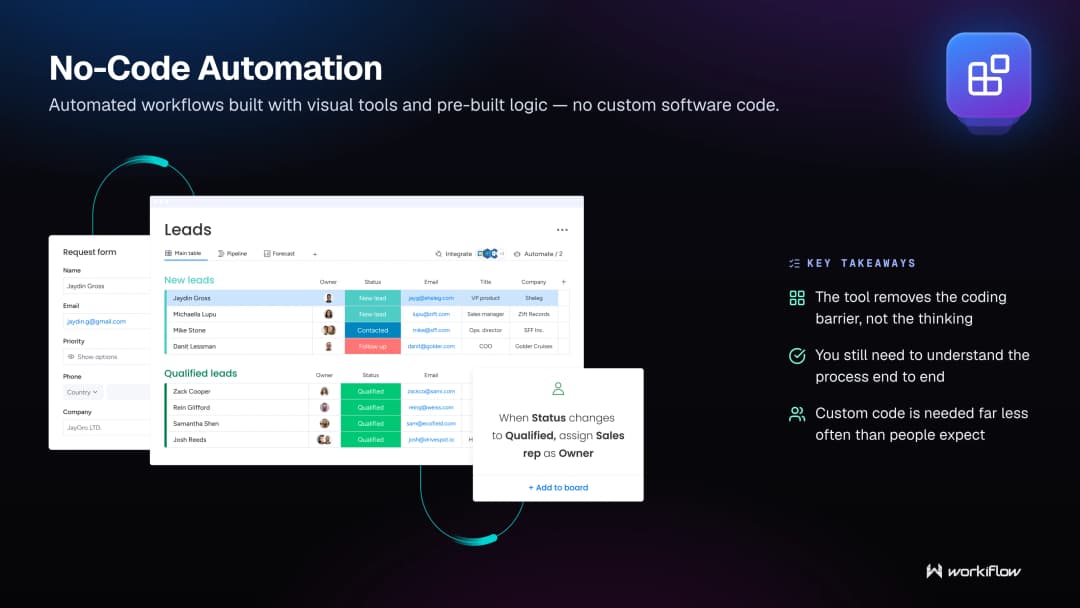
The best no-code automations are the ones nobody notices, because they just quietly do the job a person used to do manually. The tricky part is knowing which platform's automation logic can actually handle your specific process.
How Workiflow uses this: monday.com's automation engine is no-code by design, and we build almost everything inside it: recipes, custom formulas, cross-board triggers, without needing a developer for most requests. When a workflow genuinely needs custom code, we build that too, but you'd be surprised how rarely that's actually necessary.
Related terms: workflow automationautomation recipemonday.com APItask automation
CRM Integration
CRM integration means connecting your customer relationship management system to the other tools your team uses, so customer data moves automatically instead of getting re-entered by hand.
A CRM that lives in isolation is only half useful. If a lead fills out a form on your site and someone has to manually copy their info into the CRM, you've already lost time and introduced room for typos or missed leads. CRM integration closes that gap: form fills, email replies, calendar bookings, and support tickets all flow into the CRM automatically, and updates in the CRM can trigger actions elsewhere, like notifying a rep or updating a project board.
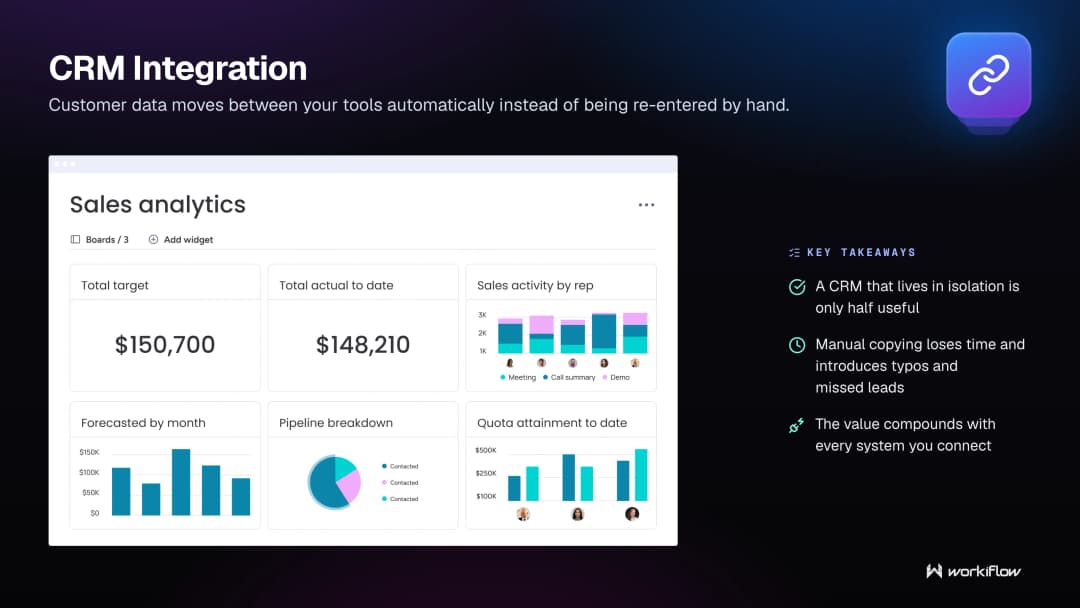
The value compounds the more systems are connected. One integration saves a few minutes. A fully connected stack means your CRM becomes the single source of truth for every customer touchpoint, without anyone having to maintain it by hand.
How Workiflow uses this: As a certified CRM Specialist, this is one of our most requested builds: connecting monday.com CRM to email, calendars, forms, and finance tools so customer data never has to be manually moved again.
Related terms: monday.com CRMmonday.com integrationsSaaS onboardingmonday.com API
monday.com Board
A monday.com board is the core building block of the platform: a customizable table where a team tracks tasks, projects, deals, or any other kind of work.
Boards are deceptively simple on the surface: rows, columns, colors. But the flexibility underneath is where the real power lives. A board can track a sales pipeline, a content calendar, an onboarding checklist, or a hiring process, all using the same underlying structure, just configured differently. Columns can hold statuses, dates, formulas, dropdowns, or connections to other boards, which is what lets a single board become the hub for an entire process instead of just a glorified spreadsheet.
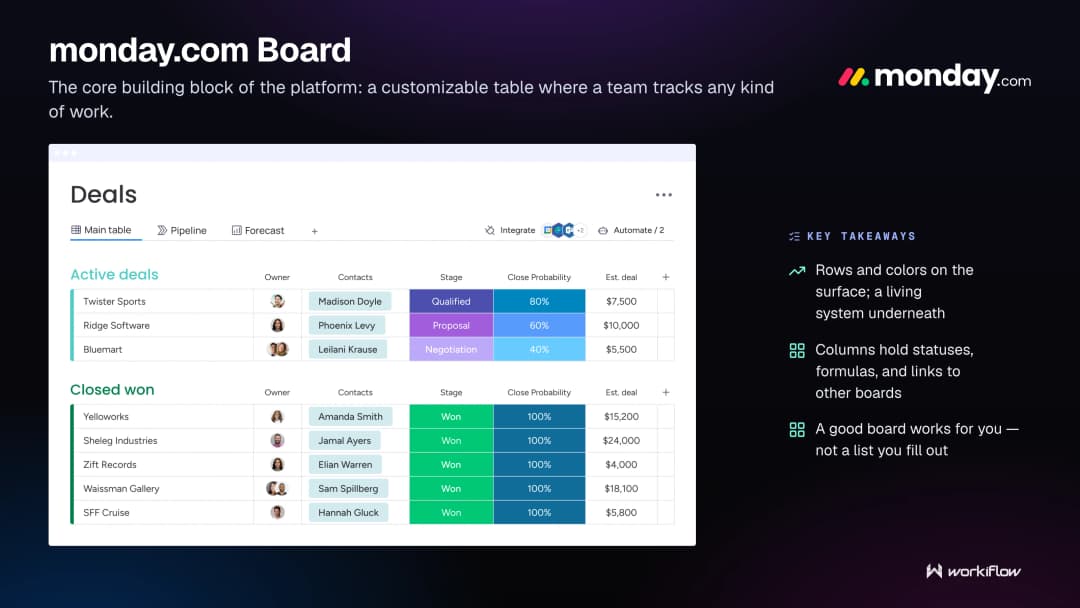
The mistake a lot of teams make is treating boards like static to-do lists instead of living systems. A well-built board has automations attached, connects to other boards for context, and updates itself based on what's happening elsewhere in the account. That's the difference between a board you fill out and a board that works for you.
How Workiflow uses this: Board architecture is where a lot of our implementation work actually happens: designing the columns, connections, and automations so a board isn't just a list, but the actual engine of a team's day-to-day work.
Related terms: workflow mappingwork OSmonday.com operating partnermanaged monday.com
Workflow Mapping
Workflow mapping is the process of documenting exactly how a task or process moves through a team, step by step, including every handoff and decision point along the way.
It sounds basic, but most teams have never actually done this. They know the process "roughly": ask five people how a customer request gets handled and you'll often get five slightly different answers. Workflow mapping forces that ambiguity into the open. Every step gets written down: who does it, what triggers it, what happens next, and where it currently breaks down. That clarity is uncomfortable sometimes, because it tends to reveal the workarounds and bottlenecks people have quietly been living with.
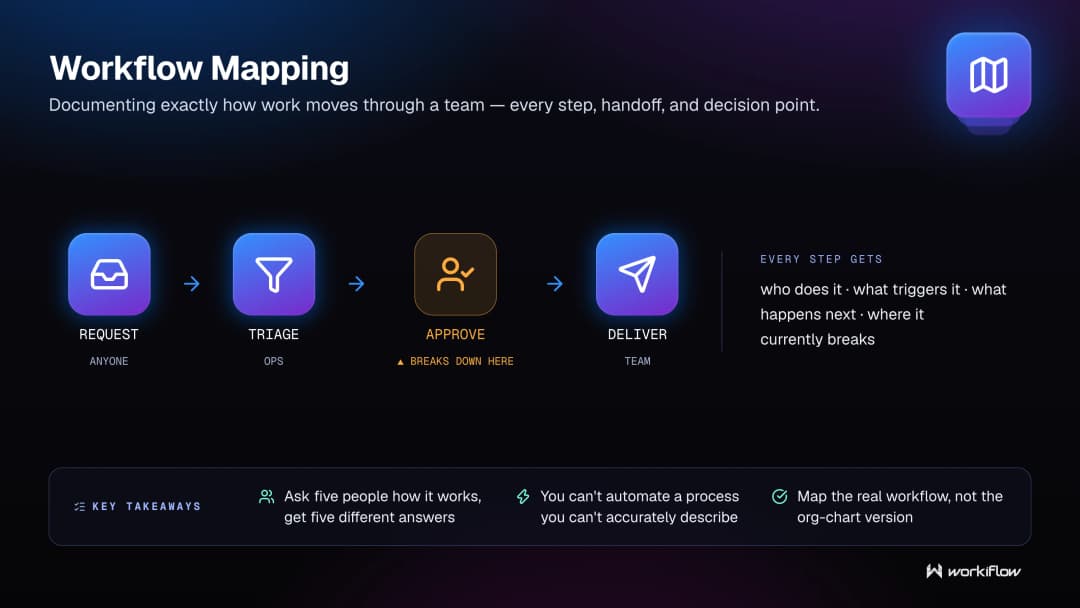
You can't automate a process you can't accurately describe. Workflow mapping is the unglamorous groundwork that makes every automation, integration, or system redesign actually work; skip it, and you end up automating the wrong version of the process.
How Workiflow uses this: We map the real workflow, not the org chart version, before we build anything. That mapping is usually where clients have their first "oh, that's why this keeps breaking" moment.
Related terms: tech stack auditworkflow bottleneckworkflow automationmonday.com board
Ops Tech Stack
An ops tech stack is the full collection of tools a business uses to run its internal operations: project management, CRM, communication, finance, and everything connecting them.
The word "stack" implies structure, but for most companies it's closer to a pile. Tools get added reactively, one problem at a time, without anyone stepping back to ask how they should all work together. A healthy ops tech stack isn't defined by how many tools it has; it's defined by how well those tools talk to each other and how little manual work it takes to keep information consistent across all of them.
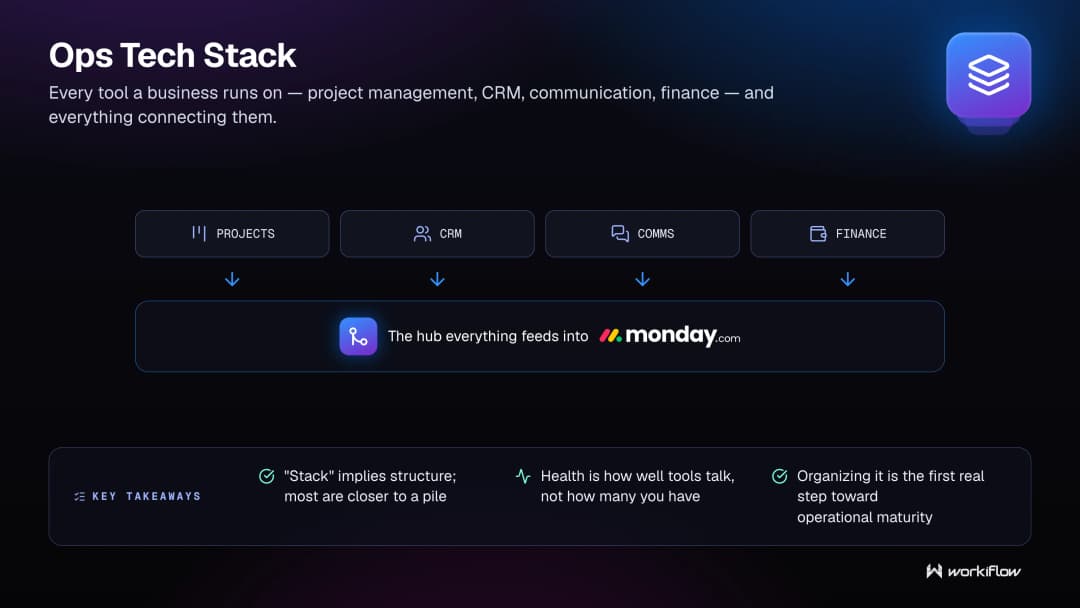
Auditing and organizing an ops tech stack is usually the first real step toward operational maturity. It's the difference between a company that reacts to problems tool by tool, and one that has a system built to handle whatever comes next.
How Workiflow uses this: We treat the ops tech stack as one connected system, not a list of separate subscriptions, usually consolidating it around monday.com as the central hub everything else feeds into.
Related terms: SaaS consolidationtech stack auditwork OSmanaged tech operations
Digital Transformation for SMBs
Digital transformation for SMBs is the process of small and mid-sized businesses replacing manual, disconnected processes with modern, integrated software systems.
"Digital transformation" often gets talked about like it's an enterprise-only initiative, something with a seven-figure budget and a dedicated transformation office. For small and mid-sized businesses, it looks different. It's a 20-person company finally moving off shared spreadsheets and sticky notes. It's a growing team replacing "email as a project management tool" with an actual system. The scale is smaller, but the stakes are often higher, because SMBs don't have the headcount to absorb inefficiency the way a large enterprise can.
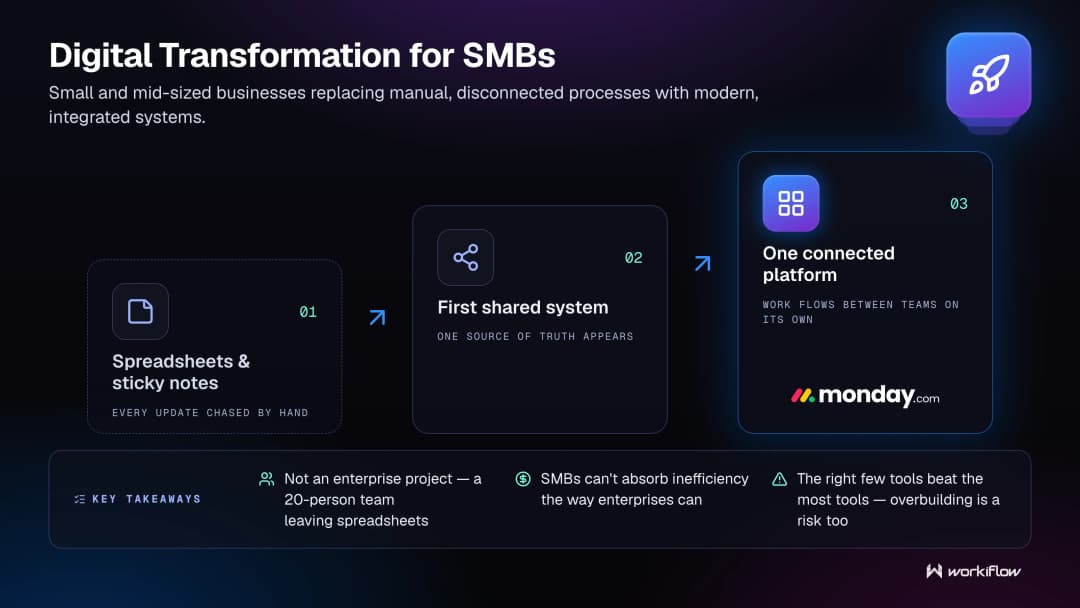
Digital transformation for an SMB isn't about adopting the most tools; it's about adopting the right few, configured to fit exactly how the business operates. Overbuilding is just as much a risk as staying manual.
How Workiflow uses this: Most of our 1,000+ clients aren't enterprise accounts; they're growing SMBs who needed a system that could scale with them without requiring an in-house ops team to run it. You don't need to build a rocket ship. You need the right foundation.
Related terms: SaaS consolidationmanaged tech operationswork OSops as a service
monday.com CRM
monday.com CRM is monday.com's built-in customer relationship management product, used to track leads, deals, and customer relationships directly inside the platform.
What sets it apart from a standalone CRM isn't the pipeline tracking; most CRMs handle that fine. It's that the CRM lives on the same platform as the rest of a team's operations, so a deal closing in the CRM can automatically trigger a project board, a task list, or an onboarding checklist elsewhere in the account. That connective tissue is hard to replicate when your CRM and your project management tool are two completely separate products from two different companies.
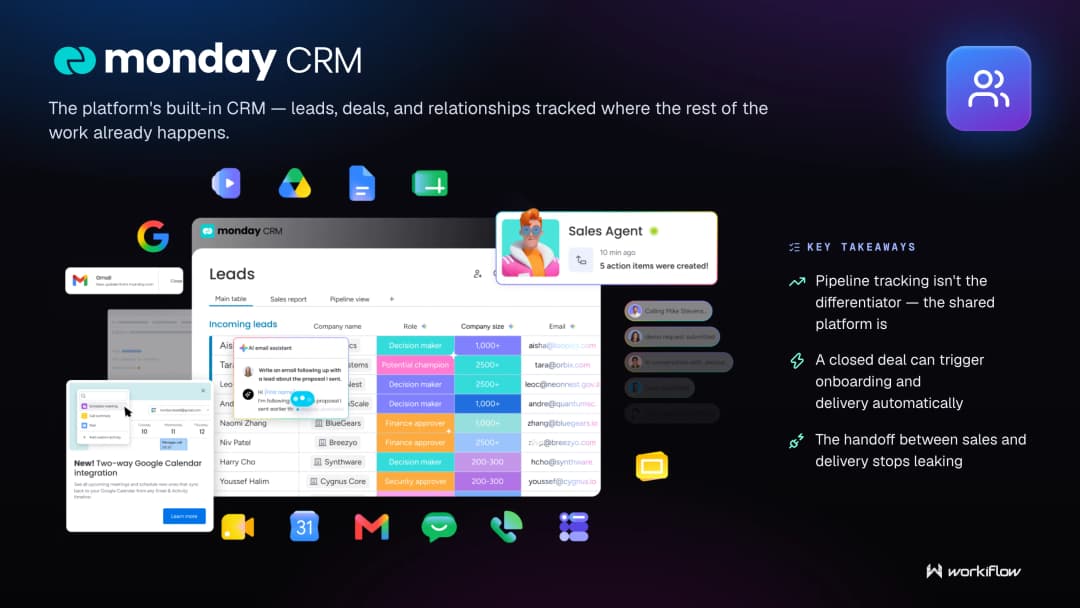
Configured well, monday.com CRM becomes more than a sales tool: it's the handoff point between sales, onboarding, and delivery, all inside one system instead of scattered across email threads and Slack messages.
How Workiflow uses this: As a certified CRM Specialist, we build monday.com CRM setups that don't just track deals; they connect directly into onboarding and delivery boards, so nothing gets lost the moment a deal closes.
Related terms: CRM integrationmonday.com boardSaaS onboardingmonday.com operating partner
Task Automation
Task automation is the automatic completion or triggering of individual tasks, status updates, assignments, notifications, without a person having to do it manually each time.
It's the smallest unit of workflow automation, and often the easiest place to start. A task gets automatically assigned to the right person when a form is submitted. A status changes automatically once a dependent task is marked complete. A reminder fires automatically before a deadline instead of relying on someone to remember. None of these individually seem like much. Stacked across a whole team's workweek, they add up to hours reclaimed and things that used to slip through the cracks.
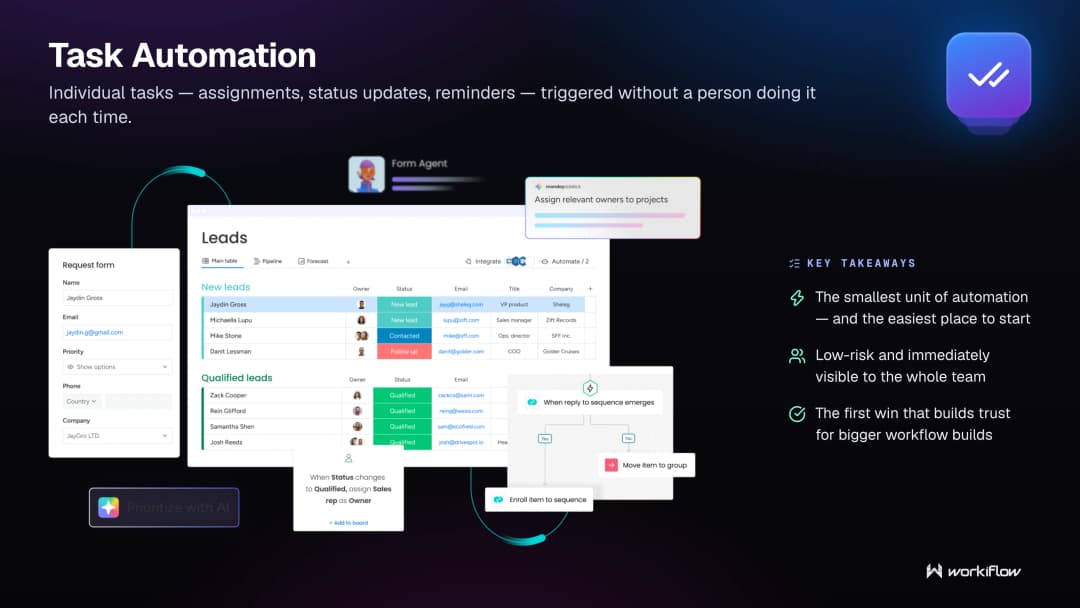
Task automation is often the entry point for teams new to automation, because it's low-risk and immediately visible. Once people see a handful of tasks handling themselves, trust builds for automating bigger, more complex parts of the workflow.
How Workiflow uses this: We usually start new clients here: small, visible task automations that build trust before we move into bigger workflow builds. It's an easy first win, and it's often the moment a client stops thinking of monday.com as "a to-do list."
Related terms: workflow automationautomation recipeno-code automationworkflow bottleneck
SaaS Onboarding
SaaS onboarding is the process of setting up, configuring, and training a team to actually use a new software tool after it's been purchased.
This is where a lot of software investments quietly go to waste. A company buys a promising tool, gets a generic setup, and never fully configures it to match how the team actually works. Six months later, adoption is low, half the team has reverted to their old habits, and the tool becomes another unused subscription. Good SaaS onboarding closes that gap: it's not just "here's your login," it's building the tool around the team's real workflows and training people until it actually sticks.
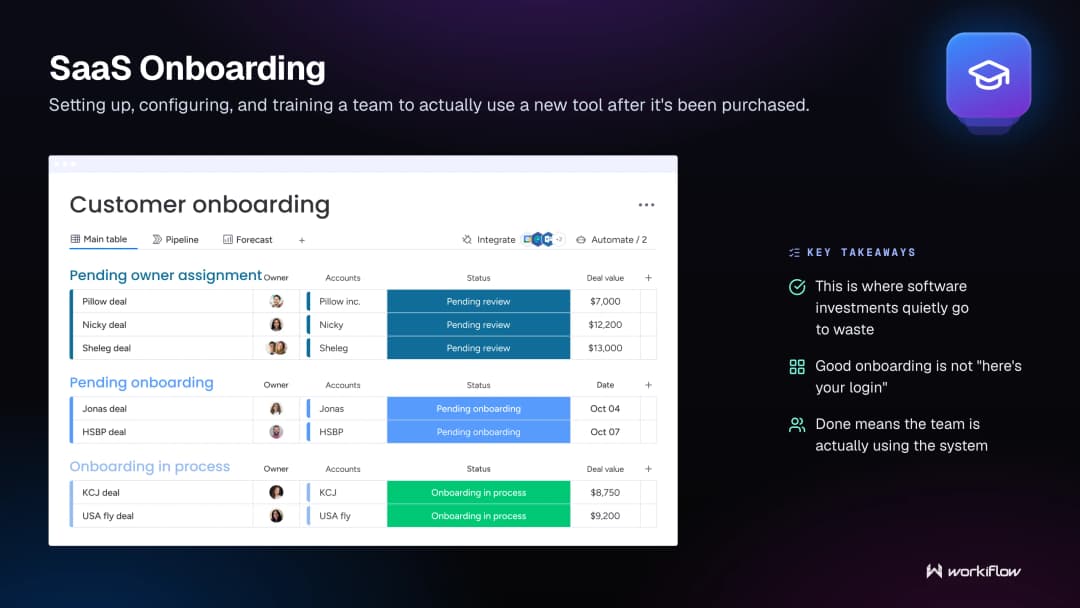
The teams that get the most value from any SaaS tool are rarely the ones with the fanciest use case. They're the ones who had a proper onboarding: someone who configured the tool correctly and made sure the team actually knew how to use it before walking away.
How Workiflow uses this: Onboarding isn't a checkbox for us; it's a full phase of every engagement, and it's a big reason we've maintained 100% client satisfaction. We don't hand over a login. We make sure the team is actually using the system before we call it done.
Related terms: managed services partnertech stack auditmonday.com operating partnerdigital transformation for SMBs
Tech Stack Health Check
A tech stack health check is a lighter-weight, periodic review of your existing tools and workflows to catch drift, waste, or breakdowns before they become bigger problems.
It's the difference between an annual physical and emergency surgery. A full tech stack audit is a deep, one-time dive. A health check is the recurring version: checking in every quarter or so to see what's changed, what's broken, what's gone unused, and what new workaround has quietly become "how we do things now." A workflow that made sense with 10 employees can quietly become a bottleneck at 40, and nobody notices until something breaks in a visible way.
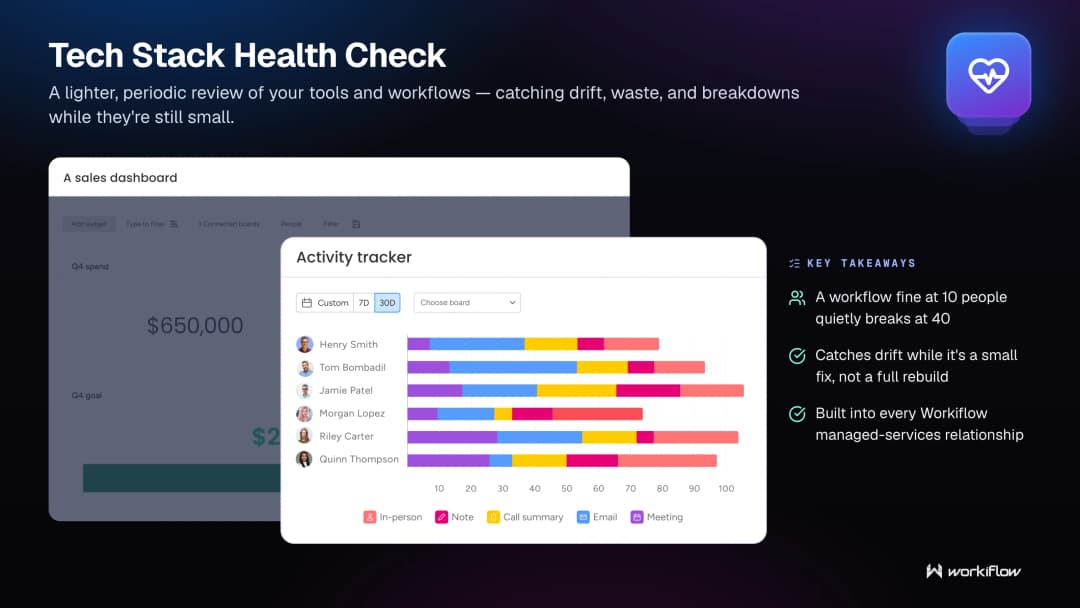
Regular health checks catch that drift early, while it's still a small fix instead of a full rebuild. They're less dramatic than an audit, but they're what actually keeps a system healthy over time instead of just healthy on launch day.
How Workiflow uses this: For our managed services clients, we don't wait for something to break. Regular health checks are built into the ongoing relationship, so small issues get caught while they're still small.
Related terms: tech stack auditmanaged tech operationsops as a servicerecurring automation
Managed monday.com
Managed monday.com is an ongoing service model where a certified partner takes continuous responsibility for building, maintaining, and improving a company's monday.com account, rather than a one-time setup.
The platform itself is powerful, but power without upkeep tends to erode. Boards get outdated. Automations stop matching how the team actually works. New hires never get properly trained on the system, so they build their own workarounds instead. "Managed" means someone is actively watching for that drift and fixing it before it piles up: new automations as needs change, board redesigns as the team grows, integrations added as new tools enter the stack.
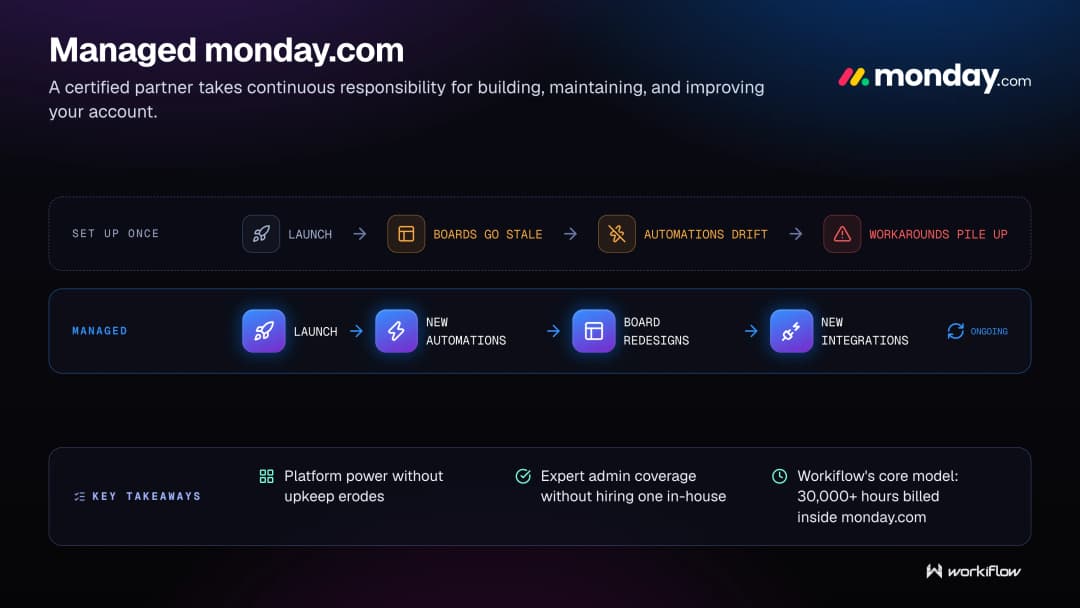
This model matters most for companies without a dedicated internal admin for the platform, which is most companies. Managed monday.com effectively gives them that expertise without having to hire and train it in-house.
How Workiflow uses this: This is our core service. As a Platinum Partner with over 30,000 hours billed inside monday.com, managing accounts on an ongoing basis, not just building them once, is the entire model our business is built on.
Related terms: monday.com operating partnermanaged services partnermanaged tech operationsops as a service
Automation Recipe
An automation recipe is a specific, pre-built rule that defines a trigger and an action: "when X happens, do Y," used to power no-code automation inside platforms like monday.com.
Recipes are the actual building blocks behind workflow automation: "When status changes to Done, notify the project owner." "When a deadline is 24 hours away, send a reminder." Each recipe on its own handles one small, specific job. The real skill isn't writing a single recipe; most platforms make that easy; it's combining dozens of recipes correctly so they don't conflict, double-trigger, or quietly break each other as a workflow gets more complex.
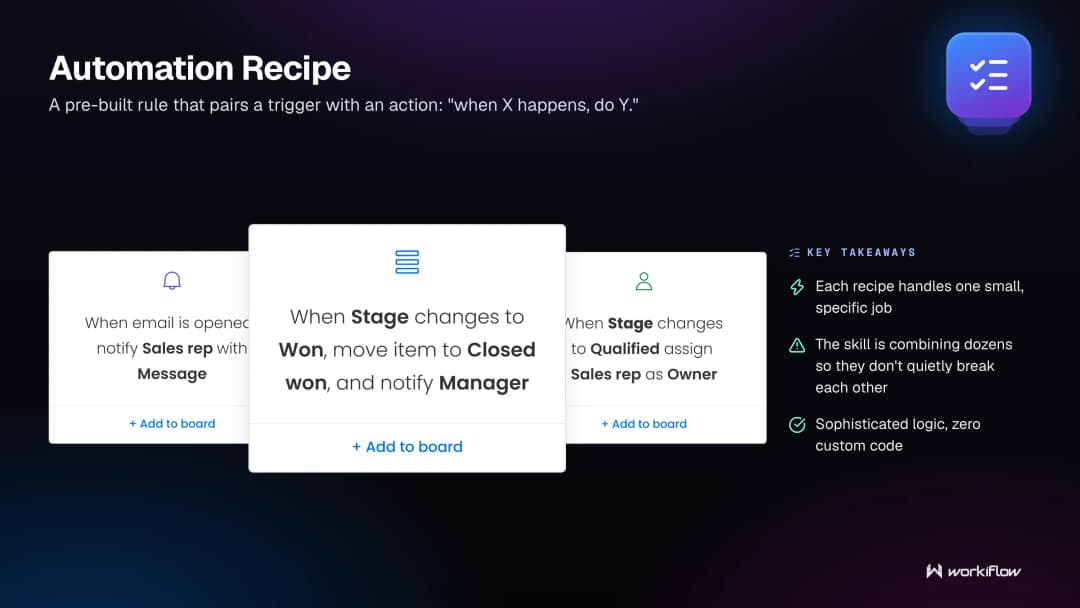
A well-designed system of recipes can handle surprisingly sophisticated logic without a single line of custom code. The challenge is knowing which recipes to chain together, and where a recipe genuinely needs to hand off to something more custom, like an API call.
How Workiflow uses this: We build custom automation recipes for nearly every client, often chaining several together to handle logic most people assume would require custom development. It's usually far simpler than people expect once someone who knows the platform is behind the wheel.
Related terms: no-code automationworkflow automationtask automationmonday.com API
Workflow Bottleneck
A workflow bottleneck is the specific point in a process where work consistently slows down, piles up, or gets stuck waiting on a person, approval, or system.
Every process has one, even if nobody's identified it yet. Sometimes it's obvious: one person who has to approve everything and is perpetually behind. Sometimes it's hidden: a form that only gets checked once a day, quietly adding 23 hours of delay to every request that hits it. Bottlenecks are rarely fixed by working harder. They're fixed by redesigning the step itself, automating the handoff, or removing the unnecessary approval that was never actually adding value.
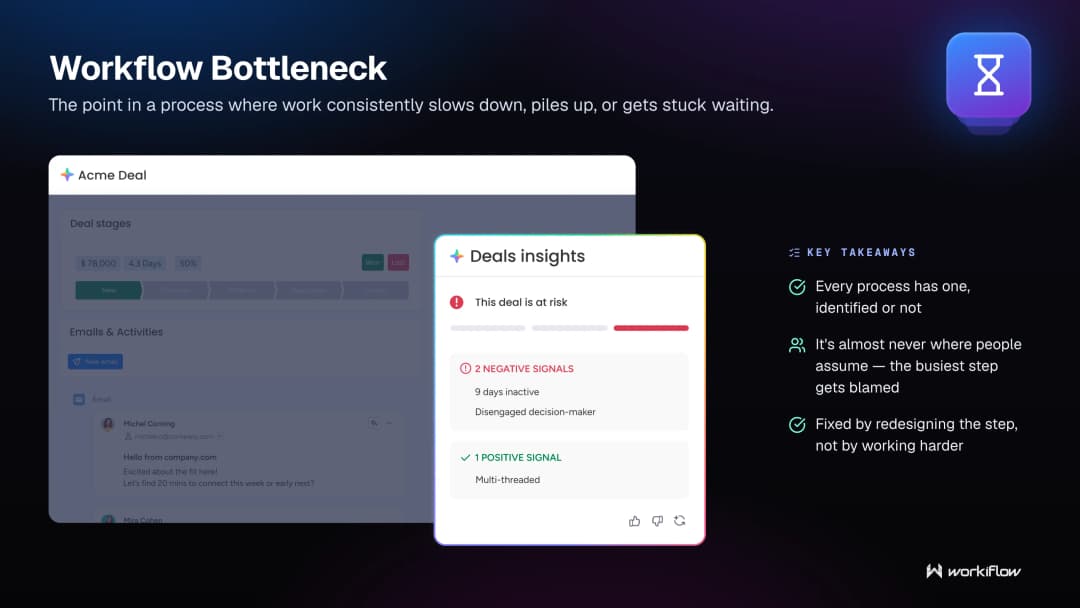
Finding the bottleneck usually requires actually mapping the workflow end to end, because the bottleneck is almost never where people assume it is. Teams tend to blame the busiest-looking step, when the real delay is often a quiet, invisible one nobody thought to question.
How Workiflow uses this: Bottleneck-hunting is a core part of our workflow mapping process, and it's usually the moment a client realizes the slowdown they blamed on "the team" was actually a broken handoff between two tools.
Related terms: workflow mappingprocess automation ROIworkflow automationtech stack audit
Ops as a Service
Ops as a service is a model where a company outsources the ongoing management of its operational systems and workflows to an outside team, rather than building and maintaining that capability in-house.
It borrows the logic of "software as a service" and applies it to operations itself. Instead of hiring a full internal ops team to build and maintain your systems, tools, and automations, you get ongoing access to that expertise from a partner: scaling up or down as needed, without the overhead of full-time hires. For growing companies, this is often the more realistic path: a dedicated internal ops hire is expensive and hard to find, while an ops-as-a-service partner can bring that expertise immediately.
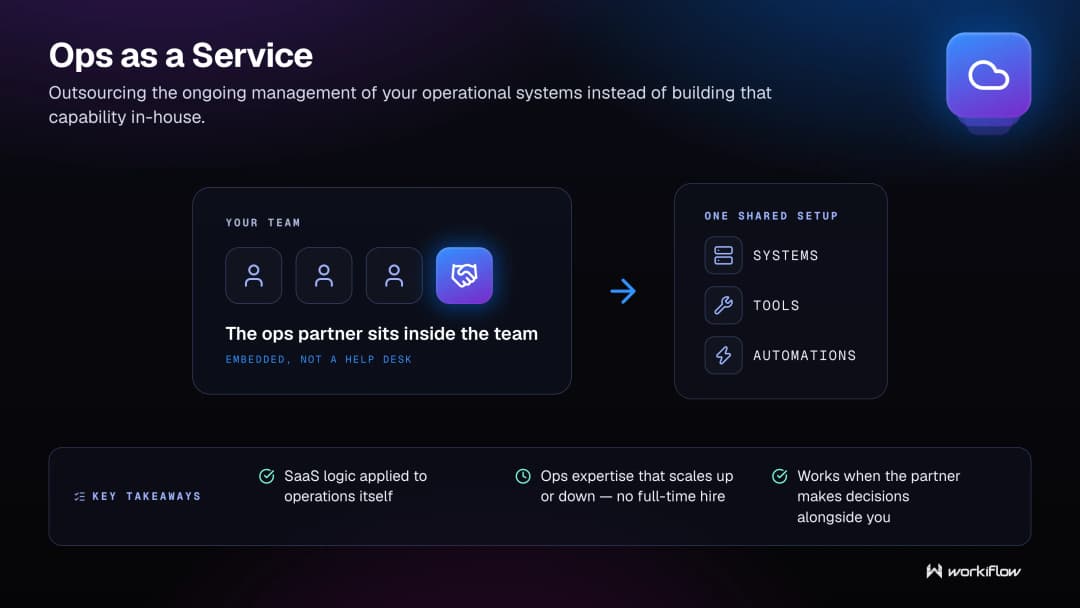
The model works best when the partner is genuinely embedded, not a help desk you file tickets with, but a team that understands your business well enough to make ops decisions alongside you, not just execute what you ask for.
How Workiflow uses this: This is functionally what our managed services model is: ongoing ops expertise for monday.com without the client needing a full internal admin. It's us + your team, working the same system together.
Related terms: managed services partnermanaged tech operationsmanaged monday.comtech stack health check
monday.com Integrations
monday.com integrations are the connections between monday.com and outside tools, email, calendars, finance software, communication platforms, that let data flow automatically between systems.
Without integrations, monday.com is an island. Great for tracking work inside the platform, but disconnected from everything else the team uses, which means someone ends up manually copying information back and forth. Integrations remove that manual layer: a form submission on your website can create an item on a board; a deal closing in the CRM can trigger a Slack notification; an invoice paid in your finance tool can update a project's status.
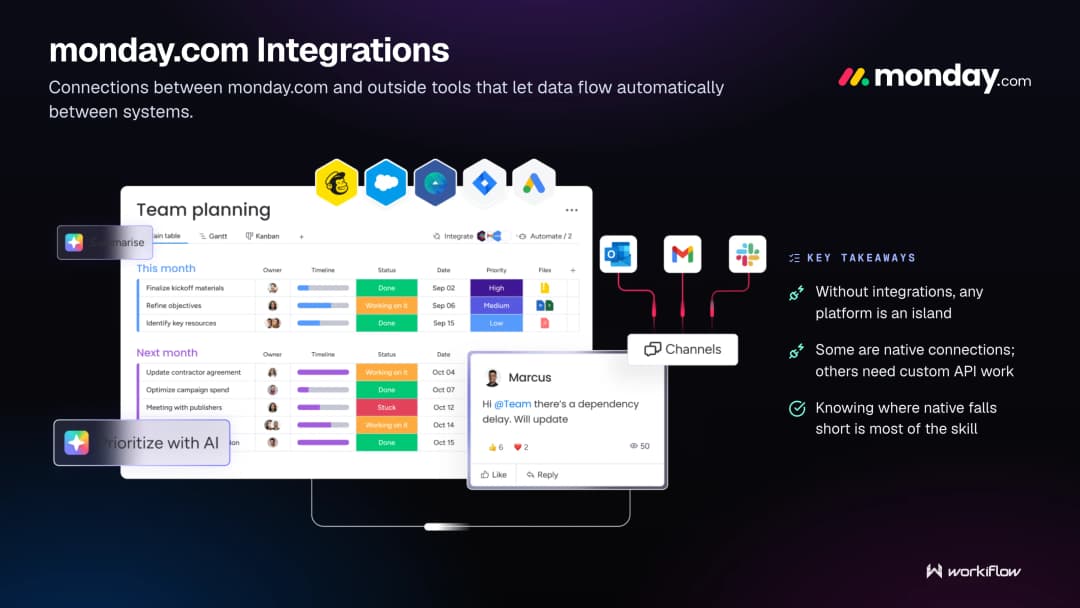
Some integrations are simple, native connections. Others require custom API work to handle more specific logic. Knowing which is which, and when native integration actually falls short, is most of the skill involved.
How Workiflow uses this: Integration work is a huge part of what we build, connecting monday.com to email, finance tools, forms, and CRMs so it becomes the true center of a client's stack instead of one more disconnected tool.
Related terms: monday.com APICRM integrationSaaS consolidationops tech stack
Recurring Automation
Recurring automation refers to workflows that run on a repeating schedule, weekly reports, monthly billing reminders, regular status recaps, rather than being triggered by a one-time event.
Not every automation is triggered by an action someone takes. Some just need to happen on a clock: a weekly summary of open tasks sent to leadership every Friday; a monthly reminder to renew a client contract; a quarterly prompt to review a budget line. These recurring automations tend to get overlooked because they're less flashy than event-triggered ones, but they quietly eliminate some of the most tedious, easy-to-forget parts of running a business.
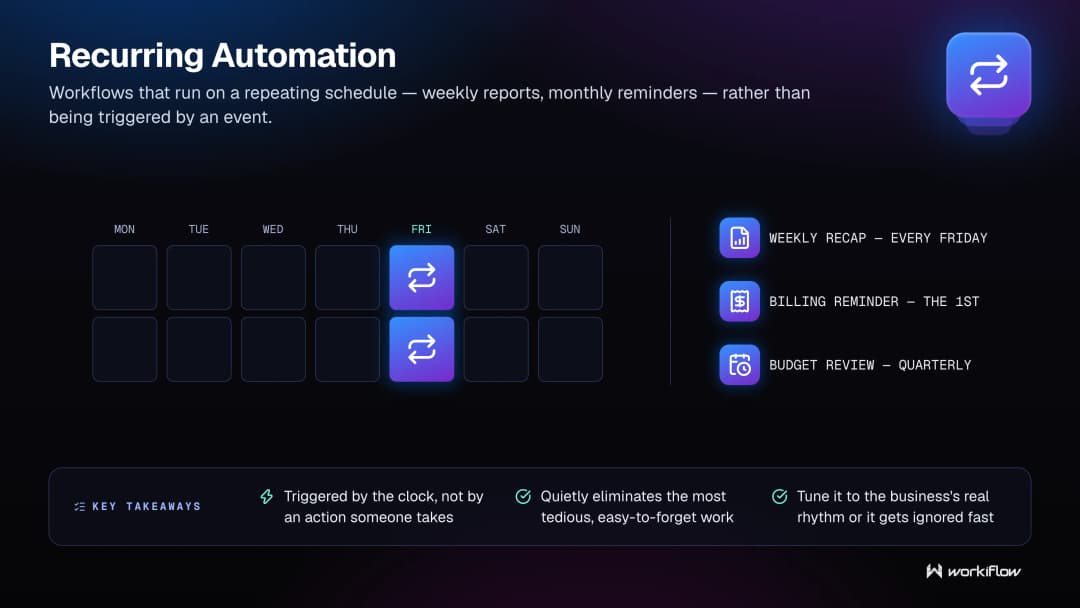
The best recurring automations are tuned to the actual rhythm of the business, not a generic schedule. A weekly report that goes out on the wrong day, or too often, gets ignored fast.
How Workiflow uses this: We build recurring automations into most client accounts for reporting, reminders, and check-ins: the small stuff that's easy to forget and expensive to actually forget.
Related terms: automation recipetask automationtech stack health checkworkflow automation
Work OS
A Work OS is a platform designed to be the central operating system for how a team manages its work. Flexible enough to run project management, CRM, HR, and operations all in one place, rather than requiring a separate tool for each.
The term matters because it signals a different design philosophy than a single-purpose tool. A project management app is built to manage projects. A Work OS is built to be reconfigured for almost anything: sales pipelines, marketing calendars, hiring processes, IT tickets, using the same underlying building blocks. monday.com popularized the term for exactly this reason: instead of buying five specialized tools, a company builds five different systems on one flexible platform.
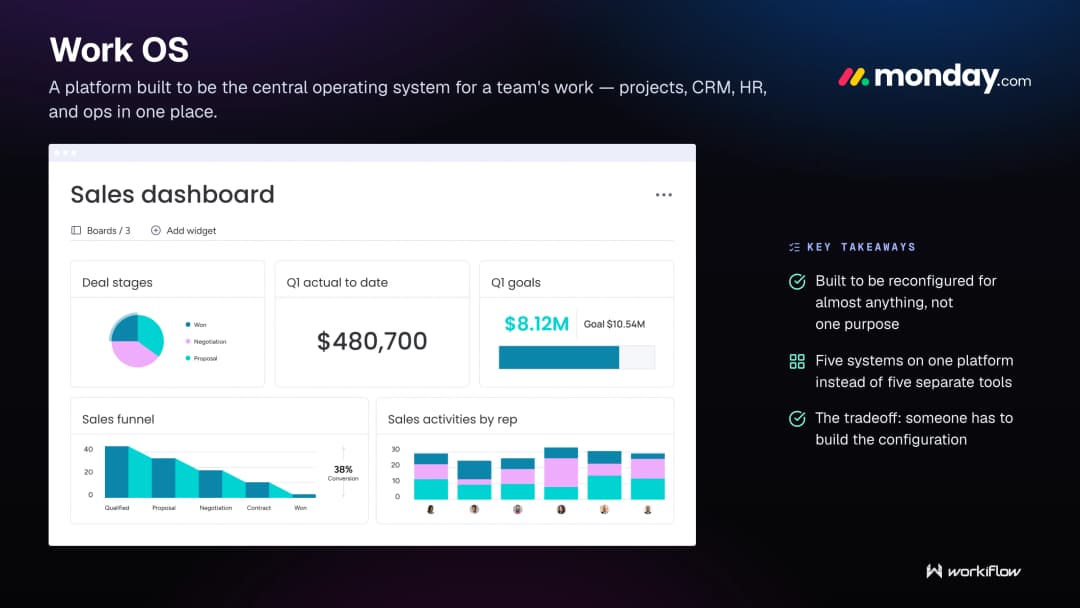
The tradeoff is that a Work OS requires more setup and thought than a single-purpose tool. It doesn't come pre-configured for your exact use case; someone has to build that configuration. Get that part right, though, and the payoff is one system instead of five.
How Workiflow uses this: monday.com's identity as a Work OS is exactly why our work exists, we do the configuration that turns a flexible platform into a system built specifically around how a client actually operates.
Related terms: monday.com boardops tech stackdigital transformation for SMBsmanaged monday.com
monday.com API
The monday.com API is a set of tools that lets developers build custom connections and logic beyond what monday.com's native, no-code automations can handle.
Most day-to-day automation needs can be handled without ever touching the API; monday.com's built-in recipes cover a lot of ground. But some logic gets too specific or too complex for no-code tools alone: pulling data from a proprietary internal system, building a custom integration with a tool that doesn't have a native connector, or creating logic that needs to reach across dozens of boards in ways the standard automation engine wasn't built for. That's where the API comes in; it's the layer that removes the ceiling on what's possible inside the platform.
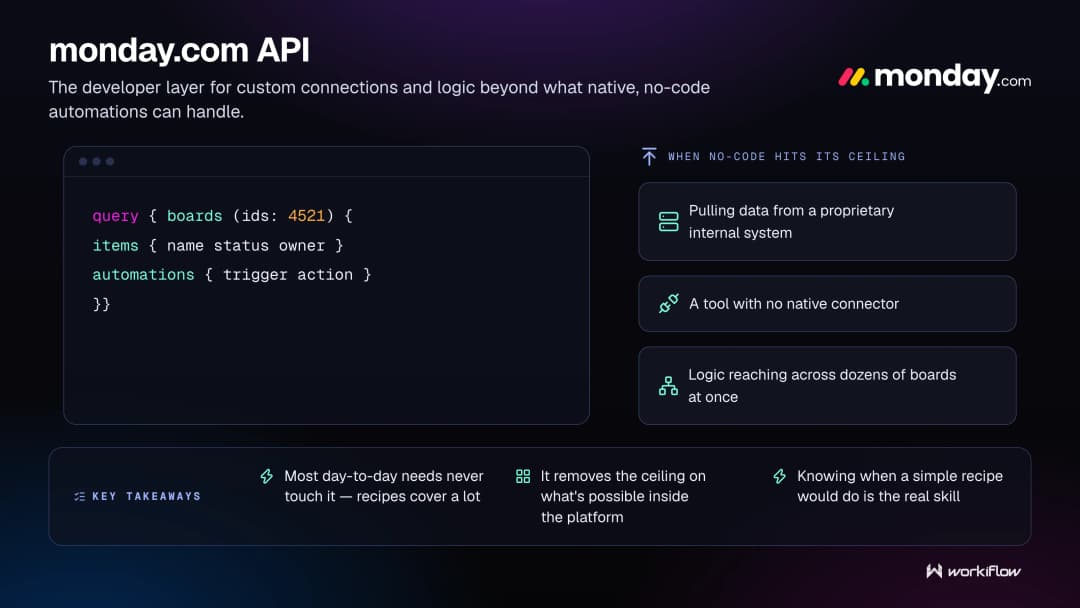
Knowing when to reach for the API versus when a no-code recipe would do the job just as well is a real skill. Overusing custom code for something a simple automation could handle just adds unnecessary complexity to maintain later.
How Workiflow uses this: Most of our builds don't need it, but when a client's process genuinely requires custom logic, our team has the development depth to go straight to the API instead of forcing a workaround that won't hold up.
Related terms: no-code automationmonday.com integrationsautomation recipemonday.com operating partner
Managed Tech Operations
Managed tech operations is the ongoing outsourcing of a company's technology and workflow management to a dedicated outside partner, covering everything from tool selection to automation to day-to-day upkeep.
It's the broadest term in this glossary, and intentionally so; it covers the full scope of what it takes to keep a modern tech stack actually running well over time: auditing what exists, consolidating what's redundant, automating what's repetitive, integrating what's disconnected, and continuously adjusting as the business changes. Companies that treat their tech stack as something to "set up once and leave alone" tend to end up right back where they started: tools that don't talk to each other, workflows nobody trusts, and a slow accumulation of manual workarounds.
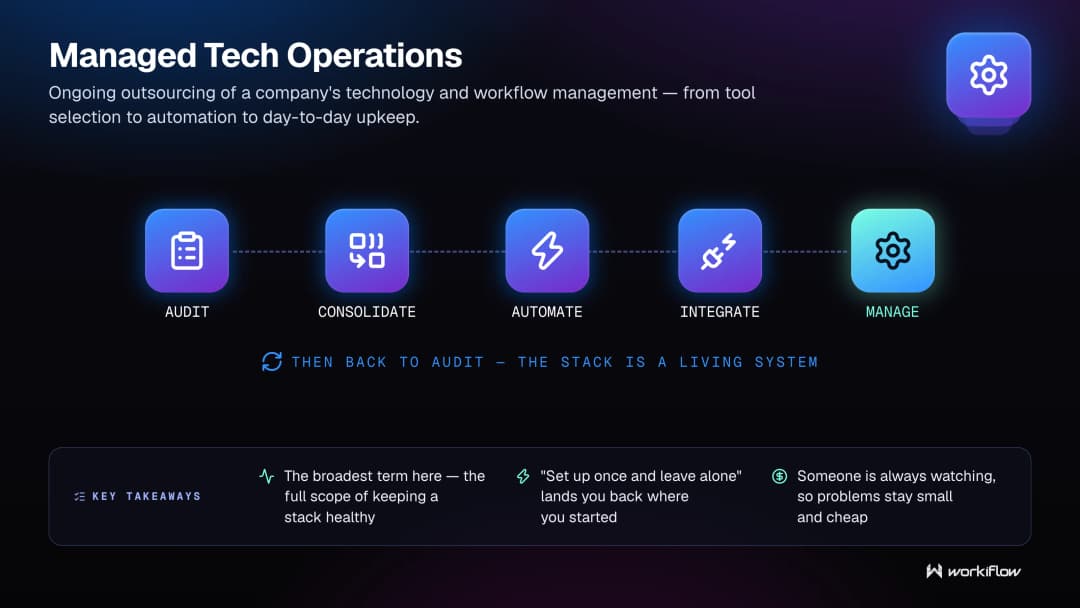
Managed tech operations treat the stack as a living system instead. Someone is always watching it, which means problems get caught while they're still small and cheap to fix.
How Workiflow uses this: This is the full picture of what we do, condensed into one term. Audit, build, integrate, automate, and manage, on an ongoing basis, for as long as a client needs a partner in their corner.
Related terms: managed monday.commanaged services partnerops as a servicetech stack health check
%2Fmonday-ai-agents-complete-guide.webp&w=3840&q=75)