On this page
- Video Case Study
- The Framework Behind "AI Security Is the Same Story"
- Tenant-Level Encryption: What It Isolates
- BYOK: What "Managing the Entire Key Lifecycle" Means
- DLP: What "Scanning Parameters" Covers
- Multi-SSO: The Case That Doesn't Show Up in a Quick Demo
- What Sits Below Guardian, Available Without It
- Why This Matters Beyond the Feature List
- FAQ
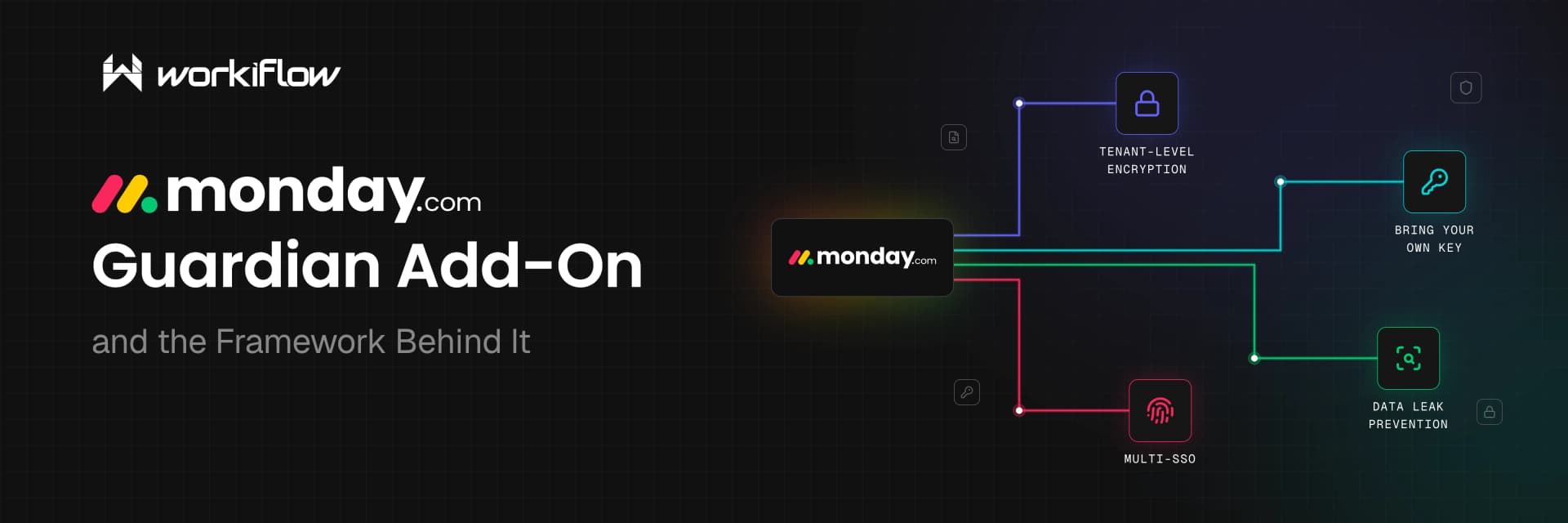
At our most recent security and governance webinar we made a point on security we want to repeat clearly: monday.com doesn't treat AI security as a separate story from platform security, it's the same story, audited under the same posture. For teams that want to go further, there's an enterprise add-on called Guardian that includes tenant-level encryption, bring-your-own-key, data leak prevention, and multi-SSO.
Here's what's actually behind each piece included through the Guardian Add-On, so that your team has a full understanding of the tools.
The Framework Behind "AI Security Is the Same Story"
Here are the three controls mentioned in the above clip: training data and bias, AI security, and AI testing. monday.com holds ISO/IEC 27001:2022 for information security management, along with ISO/IEC 27017, 27018, 27032, and 27701, plus SOC 1/2/3. That's a broad security and privacy foundation. Encryption, access control, cloud-specific risk, data handling, but none of it is a certification built specifically for AI model behavior, bias, or explain-ability. So while the controls named in the clip point at real AI-specific risks, the certifications monday.com hold cover the infrastructure and data around its AI features.
Tenant-Level Encryption: What It Isolates
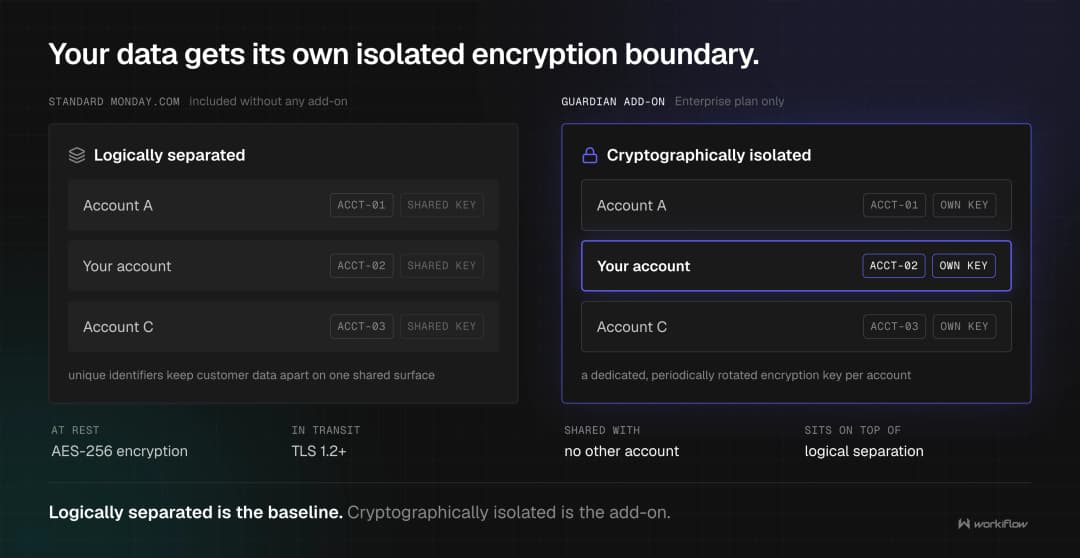
Tenant-Level Encryption is simple when explained. It's a dedicated, periodically rotated encryption key per account. In a multi-tenant platform, customer data is logically separated using unique identifiers, but Tenant-Level Encryption adds a further layer specific to your account on top of that, so your data isn't just logically separated, it's cryptographically isolated with a key nobody else's account shares.
BYOK: What "Managing the Entire Key Lifecycle" Means
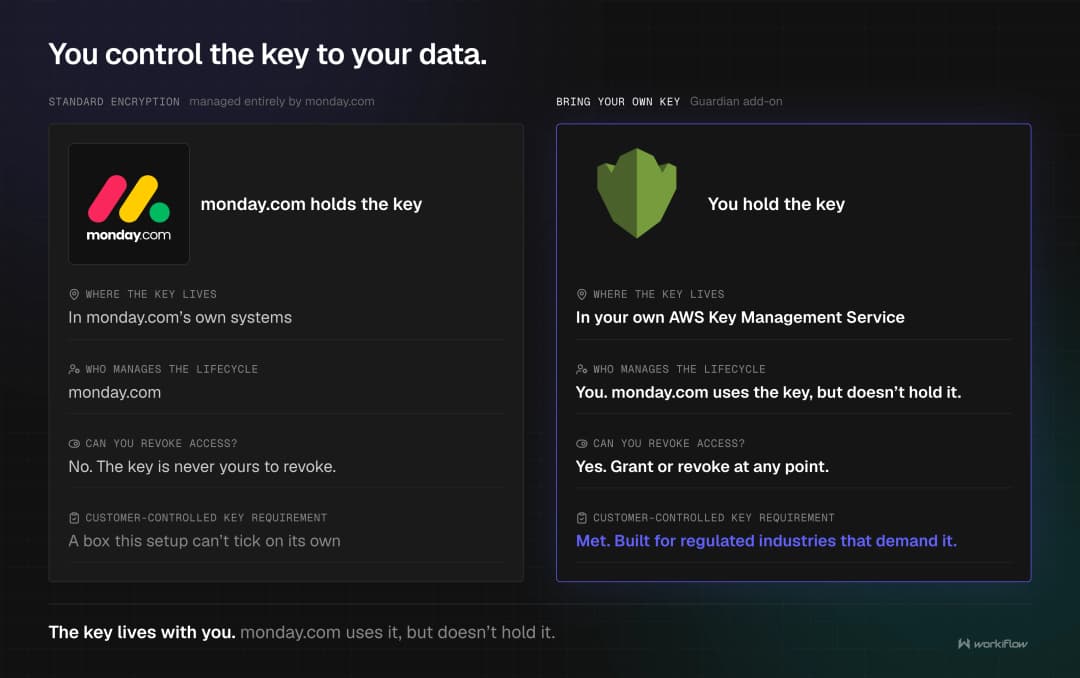
Bring Your Own Key goes further than TLE by putting the actual key material under your control rather than monday.com's. In practice, that means storing your encryption key in your own AWS Key Management Service. That has two concrete effects: you can grant or revoke access to your key at any point, and for organizations in regulated industries, that specifically demand customer-controlled encryption keys, a checkbox a standard encryption setup can't tick on its own.
DLP: What "Scanning Parameters" Covers
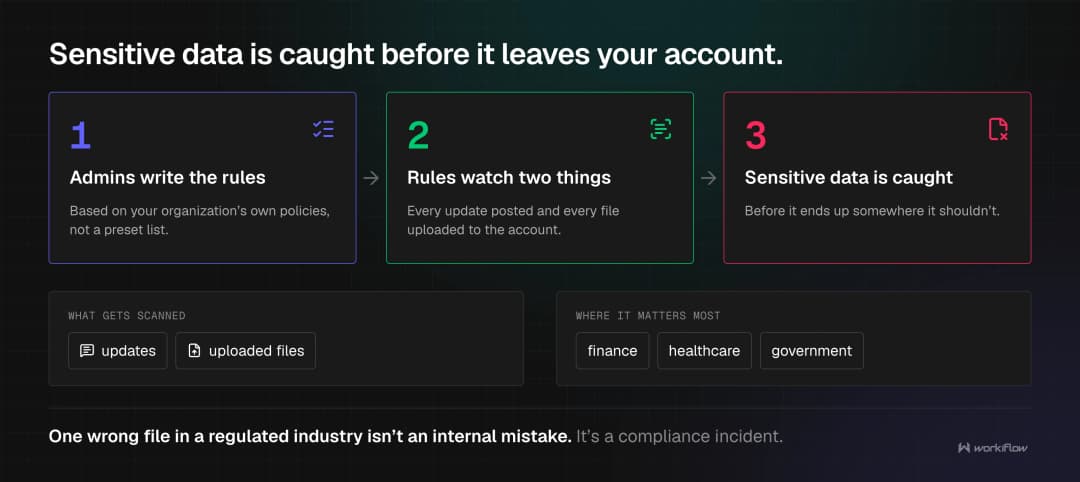
Data Leak Prevention lets admins define rules that monitor updates and uploaded files against your organization's own policies, catching sensitive data before it ends up somewhere it shouldn't. This matters most in regulated industries specifically, finance, healthcare, government, where a single uploaded file with the wrong data in it isn't just an internal mistake, it's a compliance incident.
Multi-SSO: The Case That Doesn't Show Up in a Quick Demo
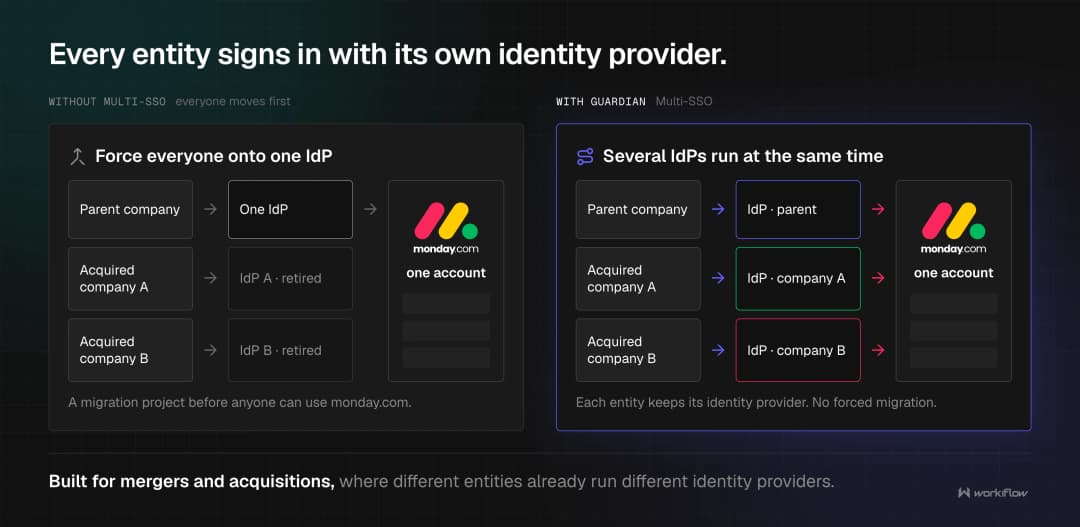
Multiple SSO support sounds like a convenience feature until you hit the specific situation it's actually built for: mergers, acquisitions, or any organization where different entities run different identity providers. Instead of forcing everyone onto one IdP before they can use monday.com, Guardian lets multiple SSO vendors run simultaneously within the same account. That's a specific problem, but it's a real one for any company that's grown by acquisition.
What Sits Below Guardian, Available Without It
Worth being clear about the baseline, since Guardian is an add-on, not a replacement for basic protections. Standard monday.com security, without any add-on, already includes AES-256 encryption at rest, TLS 1.2+ in transit, SAML 2.0 SSO support, IP range restrictions, and audit log records are available via API, or as an add-on for Splunk SIEM. Guardian sits on top of that foundation for organizations that need customer-controlled keys, per-tenant isolation, content scanning, or multiple identity providers specifically, it isn't the thing standing between your data and basic protection. It's an extra level of security for organizations that need it.
Why This Matters Beyond the Feature List
None of this configures itself, and a lot of it involves decisions with real downstream consequences: whether BYOK is actually required for your compliance posture or just nice to have, what DLP scanning rules make sense for how your team actually uploads files, whether multiple SSO vendors are solving a real structural problem or adding unnecessary complexity. That's a conversation worth having deliberately, with someone who's configured it before, rather than working through Enterprise security settings for the first time under deadline pressure.
If you want help figuring out which parts of this your organization actually needs, book a free 30-minute consultation.
FAQ
What is monday.com's Guardian add-on?
Guardian is a security and governance add-on for Enterprise accounts that adds Tenant-Level Encryption, Bring Your Own Key, Data Leak Prevention, and support for multiple SSO providers on top of monday.com's standard security features.
How is Bring Your Own Key different from monday.com's standard encryption?
Standard encryption is managed entirely by monday.com. BYOK gives an organisation control over the key lifecycle, including the ability to grant or revoke access at any point, which some regulated industries require as a condition of compliance.
Is Guardian available on every monday.com plan?
No. Guardian is available exclusively for Enterprise plan customers.
What certifications does monday.com hold?
monday.com holds ISO/IEC 27001:2022 for information security management, along with ISO/IEC 27017, 27018, 27032, and 27701, plus SOC 1/2/3. These cover encryption, access control, cloud-specific risk, and data privacy, but none of them is a certification built specifically to audit AI-specific risks like training data bias, model behavior, or testing.
%2Fmonday-ai-agents-complete-guide.webp&w=3840&q=75)