On this page
- What exactly did monday release on 3 August 2026?
- Is this the Loop block, or monday's old approval automation?
- Where do you build one, and which plans include AI Workflows?
- What has monday documented about this block, and what has it not?
- How do you build an approval pattern with what monday documents today?
- What does an approval step cost?
- How does a human checkpoint fit monday's wider AI governance?
- Frequently asked questions
- Do you need a partner for this?
If you have built an AI workflow in monday.com that drafts a reply or summarises a ticket, you may have had the thought we hear often: it would be good if a person signed this off first. That instinct is a sign of a well-designed process, and monday now ships a step for it.
This post tells you exactly what monday has published about that step, with dates, and what it has not. If you came here for a tour of the approval screen, you will not find one here, because monday has not published one yet.
What exactly did monday release on 3 August 2026?
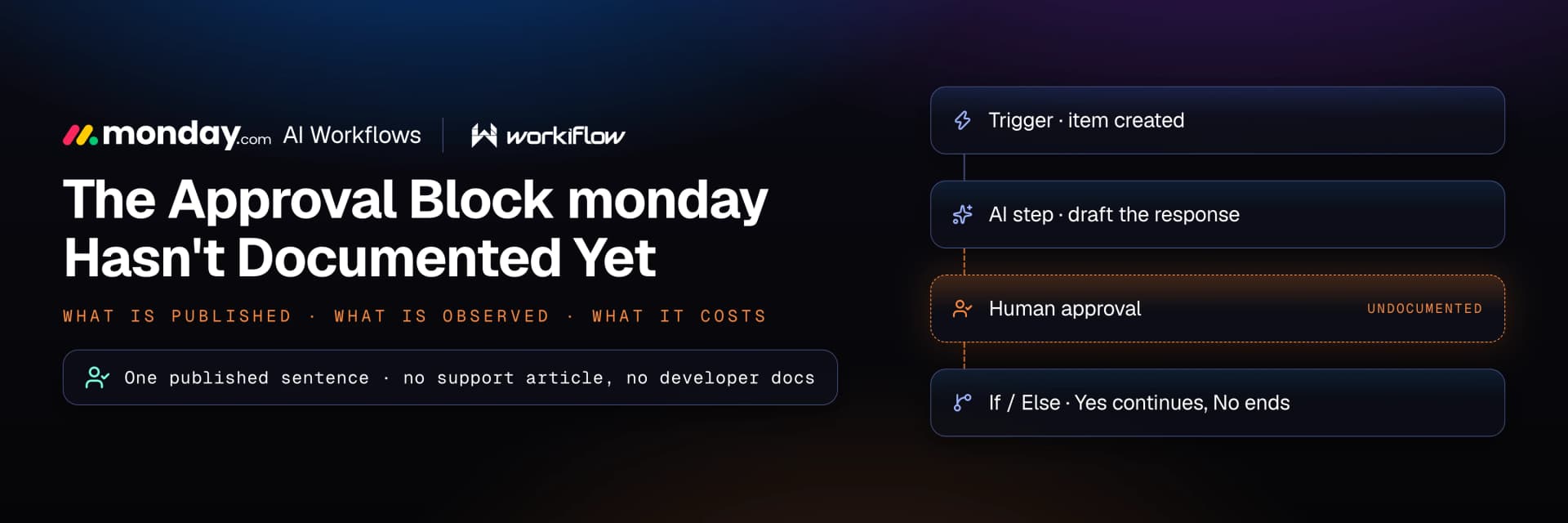
monday's own What's New release-notes page carries an entry dated August 3, 2026, tagged monday platform, under the heading "Route workflows based on human approval". The body is a single sentence: "Add a human-in-the-loop block in AI Workflows to send approval requests and branch based on the response."
That is the whole announcement, and two details matter. monday writes "a human-in-the-loop block" in lowercase prose and has published no capitalised product label for it, so the tidy proper noun people search for may not be the string on your screen. The entry describes only two behaviours, and unlike the 15 July MCP Block entry directly below it, it carries no "Read more" link.
Is this the Loop block, or monday's old approval automation?
No. monday's AI Workflows contain a block with "loop" in the name that has nothing to do with people. The Loop block "lets you run the same actions on multiple items in a single workflow run", and steps after the Exit loop block "run once when all items have been processed". It is an iterator.
Two other blocks pause a workflow without involving anyone. "Wait for event" waits until a system event fires, and "Delay" blocks "allow you to pause in between workflow steps for a set amount of time". Timing, not judgement.
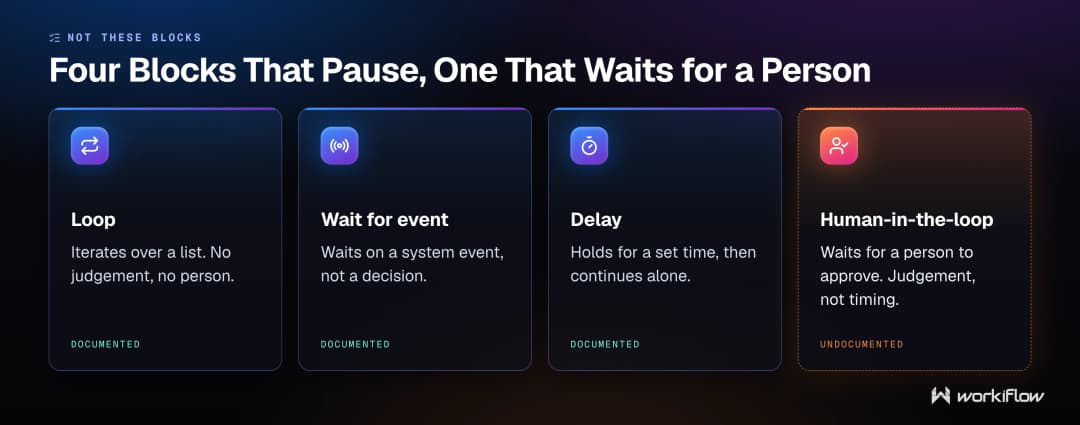
It is not a rename of an older approval feature either, because monday had no named approvals feature. On 24 August 2026 a help centre search for "approvals" returned 69 results with no dedicated approvals feature article, and "human approval" returned nothing. Approval on monday.com was a pattern people assembled from status columns and board automations, and monday states that "AI workflows are not the same as board automations".
Where do you build one, and which plans include AI Workflows?
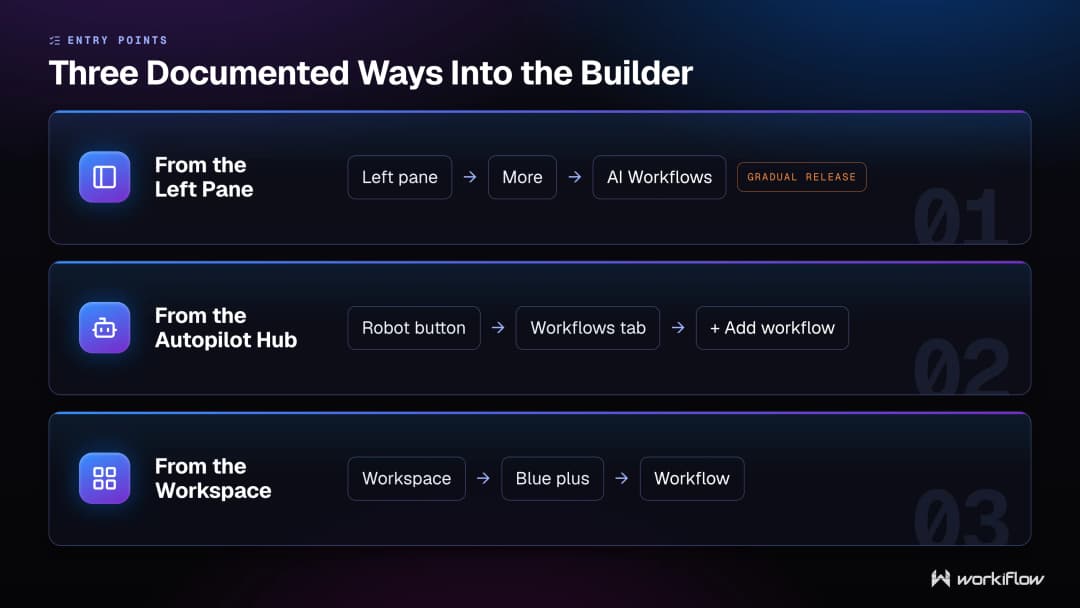
The canvas is AI Workflows and you build in the AI workflow builder. monday documents three ways in: at the bottom of the left pane click More, then AI Workflows; or click the Autopilot hub robot button at the top of your screen, then the Workflows tab, then \+ Add workflow; or open a workspace, click the blue plus sign button and choose Workflow. One caveat monday prints: "Accessing the workflow builder from the left pane is being released gradually."
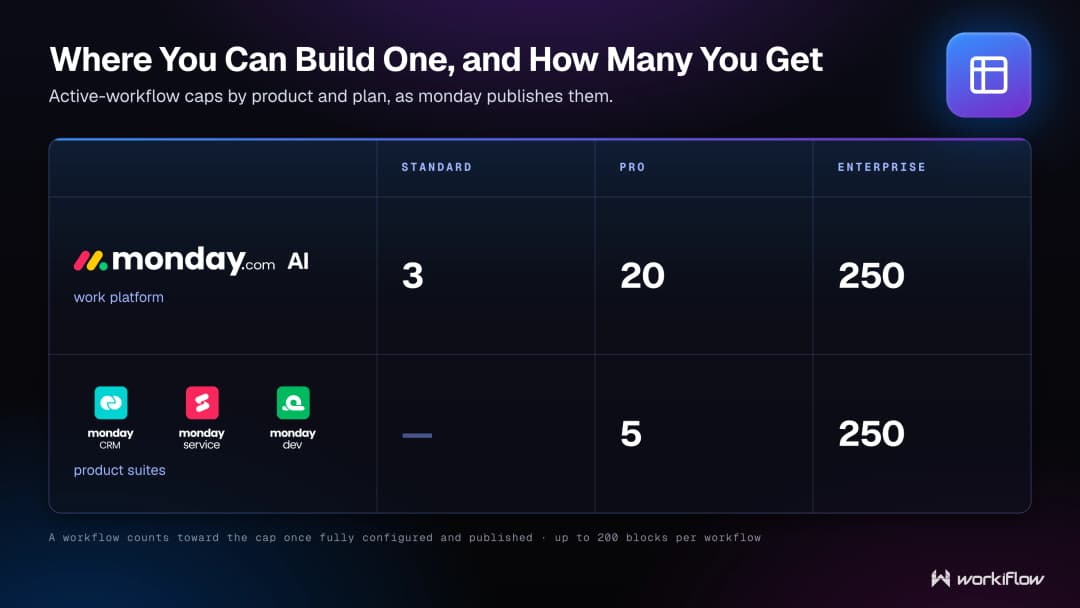
On plans, be careful with the headline. monday's banner says AI Workflows is "available on Pro and Enterprise plans", and the more specific note on the same page reads: "Standard accounts have access to AI workflows on the monday AI work platform, limited to 3 active workflows. On CRM, monday service, or monday dev, AI workflows require a Pro or Enterprise plan."
Active workflow caps split by product too, and stating a single flat number gets it wrong for CRM, service and dev readers. On the monday AI work platform you can publish 3 active workflows on Standard, 20 on Pro and 250 on Enterprise. On CRM, service and dev it is 5 on Pro and 250 on Enterprise. Build as many as you like: a workflow only counts once it is fully configured and published, and one can hold up to 200 blocks.
What has monday documented about this block, and what has it not?
Here is the honest state of play, and the dates are the point. The one sentence dated 3 August 2026 is the only description monday has published. There is no support article, no developer documentation and no Academy lesson. The three core workflow builder support articles were re-edited on 20 and 23 August 2026, the most recent of them twenty days after the block shipped, and none of them mentions it. The documented block categories still run Action, If / Else, Multi-branch conditions, Wait for event and Delay, with no approval category, and the available-actions list in "AI Workflows: features and capabilities", 35 distinct actions across 36 printed entries, includes no approval action.
As of 24 August 2026, monday has not published how an approval request reaches the approver, who can be named as an approver or how many, whether the approver can edit AI output before approving, or what happens if nobody answers. It has printed no status word against the block either, so nobody can honestly tell you it is generally available or in beta.
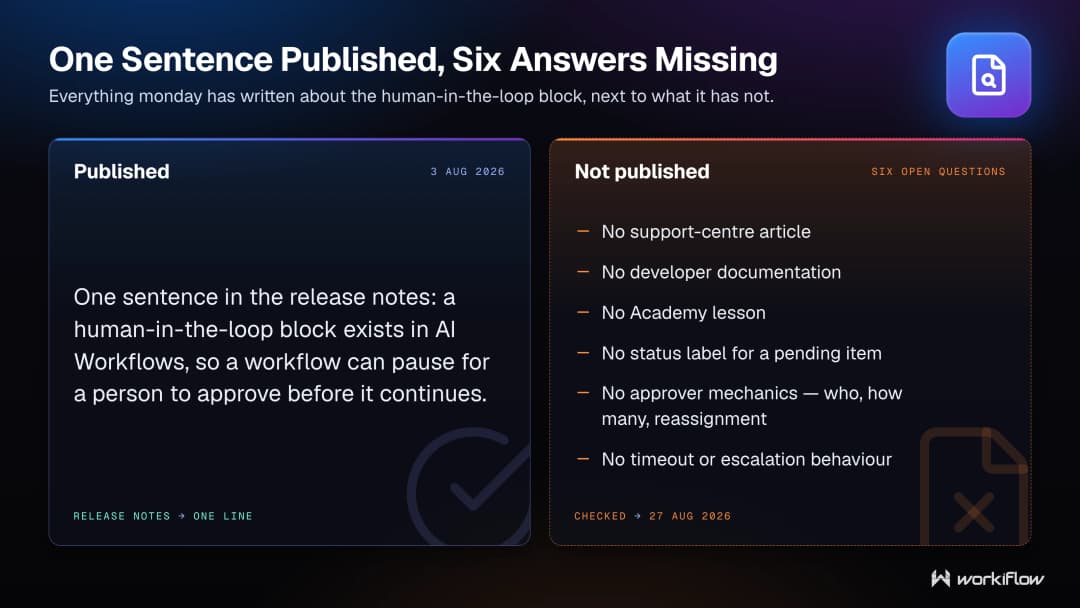
None of that means the block is not there. monday's own release note says it is. It means the definitive list of options is the one in your account.
How do you build an approval pattern with what monday documents today?
The branching half of monday's sentence rests on documented mechanics, so you can design around it. AI Workflows branch with "If / Else", giving a Yes path and a No path, and you can switch a branch by hovering over it and clicking the dropdown arrow. For more than two outcomes, monday documents Multi-branching conditions, and there you can choose what happens when none of the conditions are met: Stop workflow, which terminates any run where no branching condition is met, or Do something else. If you want a rejection to end a run cleanly, "Stop workflow" is the documented way, and it sits with multi-branching conditions rather than with If / Else.
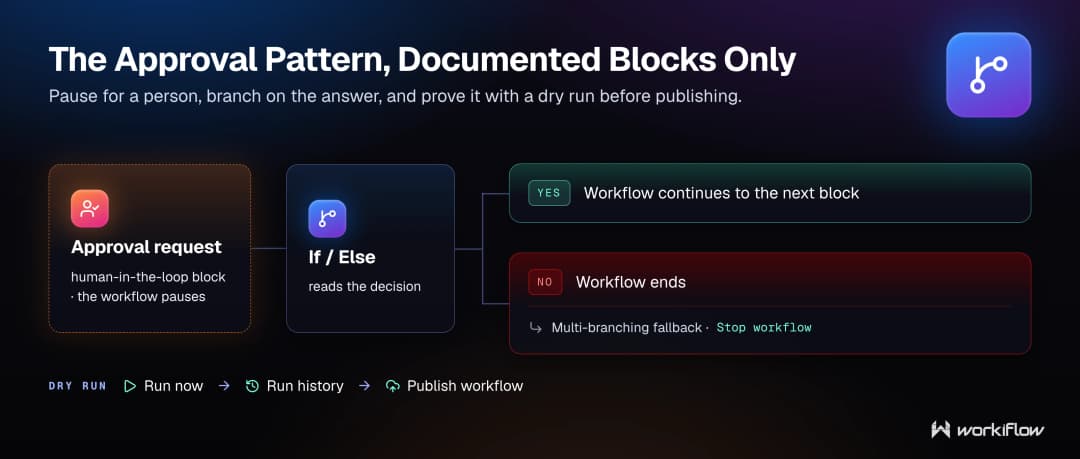
Then use the dry run. monday documents that you can "run your workflow with a single click to validate agent steps and test workflow actions before publishing" with the Run now button in the top right, then check Run history, then Publish workflow. For anything that lands in a colleague's inbox, that sequence is the safety story.
What does an approval step cost?
Two separate meters, and mixing them up is the most common costing mistake we see. The first is Automation actions. monday documents that "active workflows consume actions, and are limited by the Automation action limits for your chosen plan", that "executing condition steps also counts toward and consumes from your action quota", and that "One action is used for each person notified", plus one for each email sent. The Pro plan includes 25,000 Automation actions per month.
The second meter is AI credits, "the single unit of measure across all monday AI capabilities". A workflow with at least one AI block consumes credits based on complexity per run, and AI blocks cost 8 credits per action. monday scopes this seats-and-credits purchase model to the monday AI work platform, and states it applies to customers who joined on or after May 6, 2026. AI blocks are priced at 8 credits per AI action on monday dev and monday CRM boards too, per monday's AI Feature Catalog. Credit usage is subject to change, so treat those figures as dated August 2026.
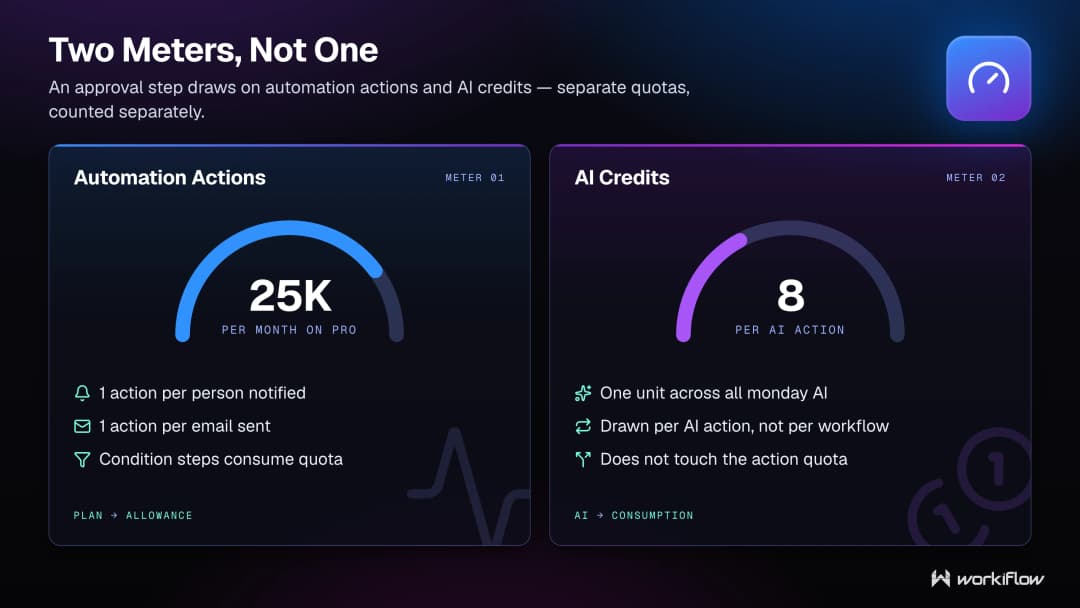
What is documented is enough to budget with: an AI-powered run is metered by complexity, and every person you notify costs one action.
How does a human checkpoint fit monday's wider AI governance?
Neatly, because monday ships the same instinct at account level. Under your profile picture, then Administration, then AI governance, admins control access to AI features, review credit usage and set limits at three levels, account-wide, per AI capability and per user, with notifications at 80% and 100% of usage. An approval step inside one workflow is the same idea, put where the decision happens.
Frequently asked questions
Is the human-in-the-loop block the same as the Loop block?
No. The Loop block runs the same actions on multiple items in a single workflow run and never asks a person anything. The human-in-the-loop block sends an approval request and branches on the response.
Which plans include monday AI Workflows?
monday lists AI Workflows as available on Pro and Enterprise plans, and adds that Standard accounts on the monday AI work platform get it limited to 3 active workflows. On monday CRM, monday service and monday dev it requires Pro or Enterprise.
Does an approval step consume AI credits?
monday has not published whether this block itself draws AI credits, so nobody can answer that honestly yet. What is documented is that a workflow containing at least one AI block consumes credits based on complexity per run, and that AI blocks cost 8 credits per action.
How is the cost of notifying approvers measured?
Through Automation actions, which are a separate meter from AI credits. monday documents that one action is used for each person notified and one for each email sent, and that condition steps also consume from your action quota. The Pro plan includes 25,000 Automation actions per month.
What happens if nobody responds to an approval request?
monday has not published any timeout or no-response behaviour for this block as of 24 August 2026. Do not assume the Delay block or "Stop workflow" covers it, because those are separate documented features. Test it in your own account before you rely on it.
Can the approver edit the AI output before approving it?
monday's release note says only that the block sends approval requests and branches based on the response, and it does not define what a response can contain. As of 24 August 2026 there is no monday documentation on editing before approval.
Do you need a partner for this?
Honestly, for one approval step in one workflow, probably not. Open the builder, add your blocks, use Run now, check Run history, publish. That is a good afternoon's work for someone who knows the process.
It gets harder when approvals become policy: which decisions need a human, who is accountable when an approver is on leave, and how a rejection unwinds work that already happened. That is design work rather than clicking work.
Workiflow is a Platinum monday.com partner, described on our site as one of a small group worldwide, with CRM Specialization, Advanced Delivery certification and Work Management Expert status. We are SOC 2 Type II certified, our ISO 27001 program is in progress, and today we operate 69 continuously monitored controls across 10 domains.