On this page
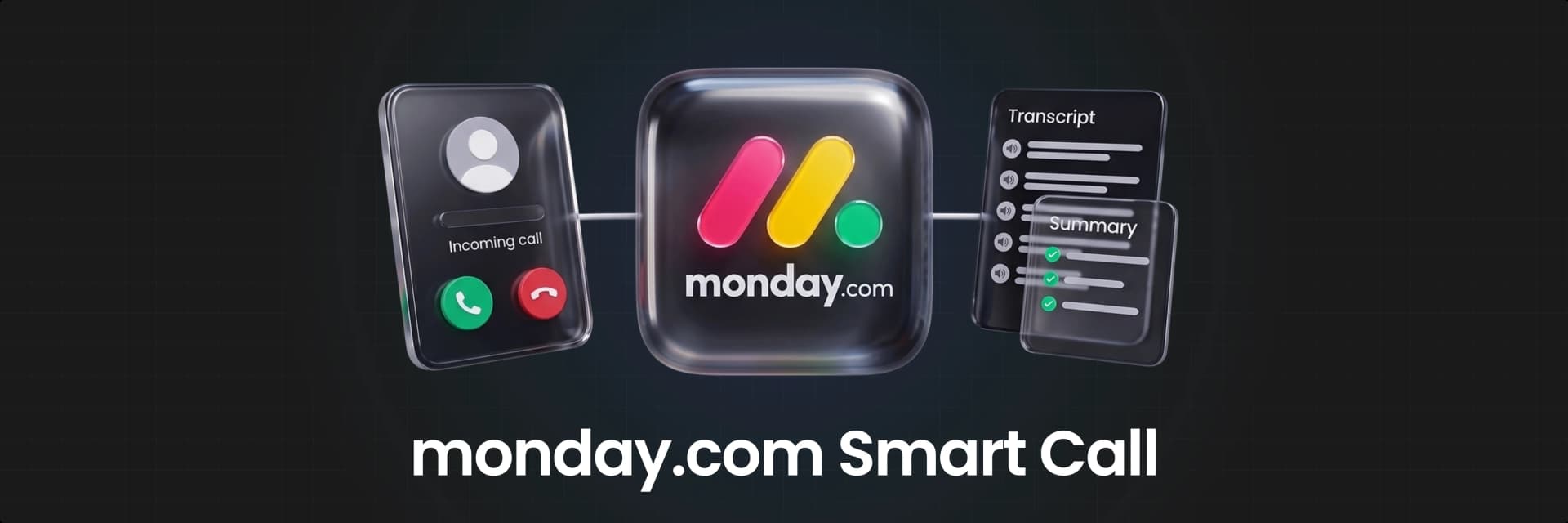
In a recent webinar, we called monday Smart Call the biggest AI update monday.com has shipped this quarter (and we stand by that). The clip above covers the basics: dial straight out of your monday workspace, no personal minutes touched, and an AI-generated transcript and summary waiting for you the moment you hang up.
All of that creates a solid picture for what Smart Call can do. Here's what's actually happening under each of those claims, and a few things the clip didn't have time to get into.
What the Clip Covers
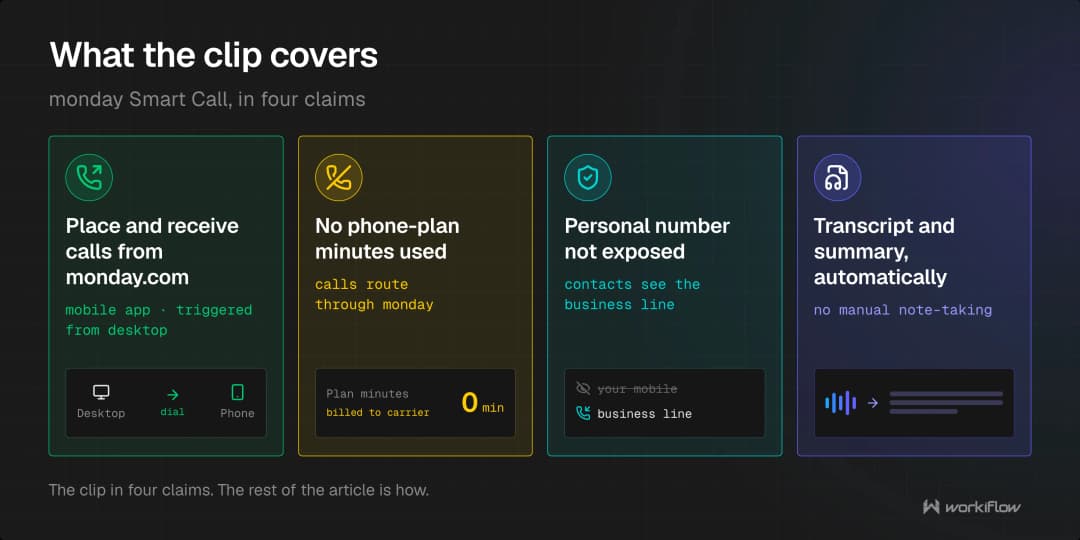
Quick recap before we go further: monday Smart Call lets you place and receive calls directly from monday.com, available on the mobile app with call-triggering support from desktop. It doesn't draw from your phone plan's minutes, and it doesn't expose your personal number to the person you're calling. When the call ends, AI handles the transcript and summary automatically, no manual note-taking required.
But a quick recap doesn't show us the depth of these tools, now let's get into real detail.
How "It Won't Touch Your Personal Minutes" Works
Here's how the Inner operations actually work, so that your personal minutes aren't used. Your team purchases a dedicated business number directly inside monday.com, through Account Settings, no external phone vendor, no separate porting process. That number is what places and receives every call, which is also what protects your personal number: your caller ID shows the business number, not your own.
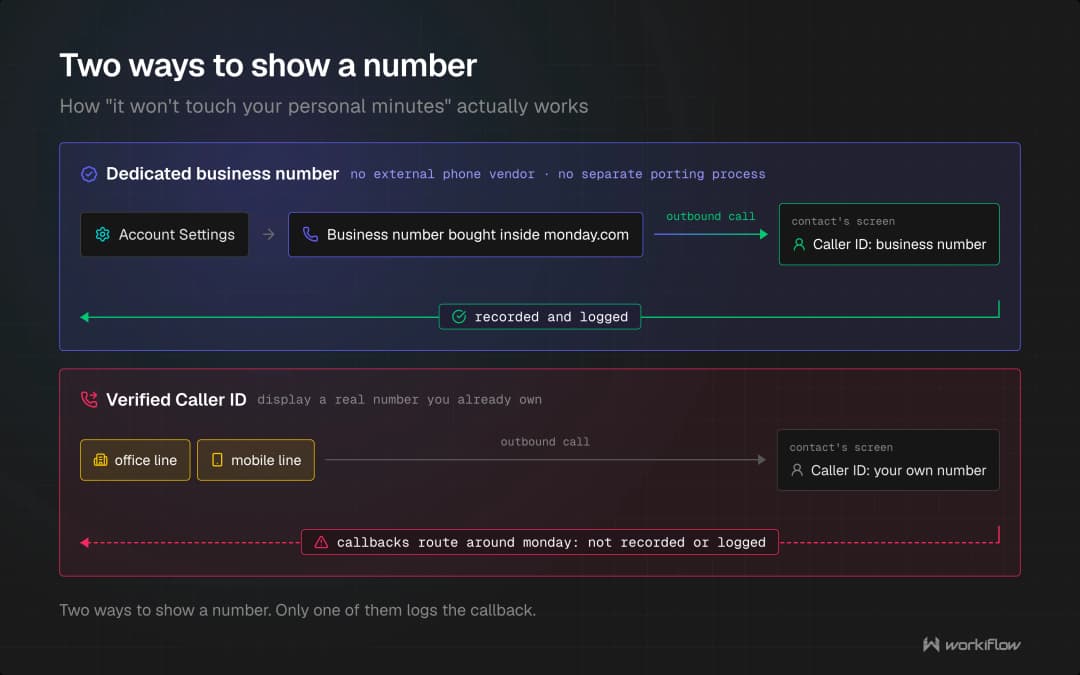
If you'd rather prospects see a number they already recognize, there's a second option that you should understand, one that the clip didn't mention: Verified Caller ID. It lets you display a real number you already own, an office line, a mobile line, instead of the monday-issued number. One catch worth flagging: when that's active, callbacks to that number route around monday entirely, so they won't be recorded or logged automatically. This is good to know before you turn on a number that you're using somewhere else already.
What Lands on the Record
A full transcript with speaker labels and timestamps, an AI-generated summary, detected topics, decisions made during the call, and concrete action items with owners assigned, not just a rough gist of the conversation. That processing typically finishes within 30 seconds to 2 minutes of the call ending.
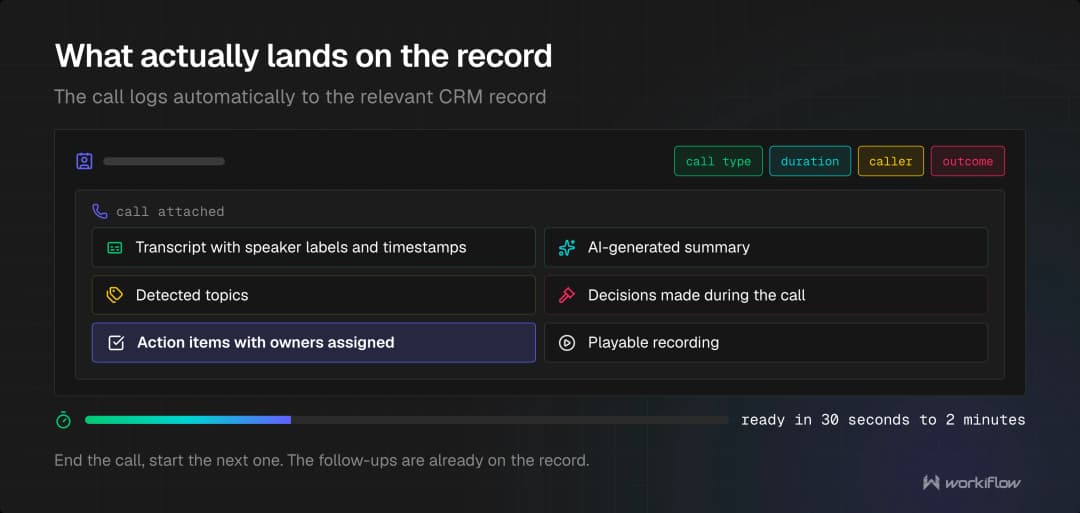
From there, the call logs automatically to the relevant CRM record, with call type, duration, caller, outcome, and a playable recording attached. The practical effect: a sales rep can end a call and walk straight into the next one, with the follow-up tasks already sitting on the record instead of waiting to be typed up later.
Key Details on monday Smart Call
A short webinar segment has to move fast, so a few things worth knowing before you roll this out to a full team:
Pricing runs on AI credits, not a flat seat fee. You're charged for connected call minutes, plus a small credit cost each time someone asks the AI a follow-up question about a call, "did they raise a pricing objection," for example. Admins can cap monthly credit usage per team member from the AI governance settings, which matters if you're rolling this out broadly and want to control cost before it becomes a surprise on the bill.
Coverage has real limits. Numbers are currently available for the US, Canada, Puerto Rico, and Israel only. There's no web dialer yet, calls require the mobile app even when triggered from desktop, and accounts are capped at 5 numbers by default.
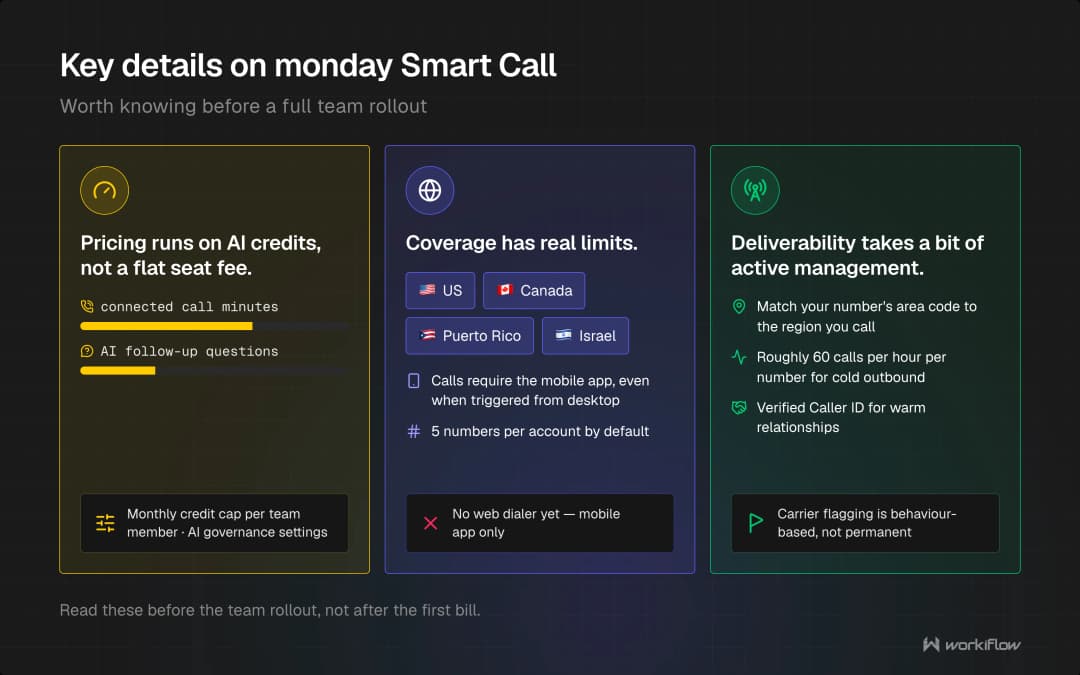
Deliverability takes a bit of active management. Business numbers can get flagged by carriers based on calling behavior and caller ID reputation, the same way any business number can. A few things that actually help: matching your number's area code to the region you're calling, keeping cold outbound volume to roughly 60 calls per hour per number, and using Verified Caller ID for warm relationships where a recognizable number matters more than automatic logging.
Why This Matters Beyond the Feature Itself
A calling feature is only as useful as the system it's feeding data into. AI transcripts and action items are genuinely valuable, but only if they're actually tied into your boards, your reporting, and your existing automations, not sitting next to your CRM as a disconnected add-on. Because the real value isn't an impressive demo, it's a tool that's actually working within your team and saving you time.
If you want help wiring Smart Call into the rest of your monday.com setup, not just turning it on, book a free 30-minute consultation.
FAQ
Does monday Smart Call use my personal phone minutes?
No. Calls route through a dedicated business number purchased inside monday.com, not your personal phone plan, and your personal number is never exposed as the caller ID.
What information does monday Smart Call capture after a call ends?
A full transcript with speaker labels and timestamps, an AI-generated summary, detected topics, decisions made, and action items with assigned owners, typically ready within 30 seconds to 2 minutes after the call ends. It's then logged automatically to the relevant CRM record.
How much does monday Smart Call cost?
It's priced through AI credits based on connected call minutes, plus a small credit cost for each AI follow-up question asked about a call, rather than a flat per-seat fee.
Is monday Smart Call available everywhere?
Not yet. It currently supports numbers in the US, Canada, Puerto Rico, and Israel only, with no web dialer, calls require the mobile app even when a call is triggered from desktop.